Creating an eye-catching YouTube thumbnail doesn’t have to be complicated. With ChatGPT, you can turn a simple video idea into a clear thumbnail concept, generate images in a 16:9 aspect ratio, explore different visual styles, and refine the final design with a few well-written prompts. In this tutorial, I’ll walk through a practical workflow from a tech enthusiast’s perspective, including ready-to-use prompts you can copy and customize for your own channel.
制作一张吸引人的 YouTube 视频封面,并不一定需要复杂的设计技巧。借助 ChatGPT,你可以把一个简单的视频主题转化为清晰的封面创意,生成适合 16:9 比例的图片,尝试不同的视觉风格,再通过几轮提示词调整完善最终效果。本文将从技术宅的实用角度出发,演示一套完整的操作流程,并提供可以直接复制、修改和使用的提示词。
1. Why Use ChatGPT to Create YouTube Thumbnails?
A good YouTube thumbnail helps viewers understand a video’s topic before clicking. It should communicate the main idea quickly, create curiosity, and remain easy to recognize on a small mobile screen. ChatGPT can help with brainstorming, headline ideas, visual composition, color schemes, and image generation when image creation is available in your ChatGPT interface.
一张优秀的 YouTube 视频封面,可以让观众在点击之前快速了解视频主题。它需要清楚传达核心内容、激发观看兴趣,并且在手机的小尺寸屏幕上依然容易辨认。ChatGPT 可以帮助我们构思创意、设计封面标题、规划画面构图、搭配颜色;如果当前 ChatGPT 界面支持图片生成,还可以直接辅助制作封面图片。
For tech channels, this workflow is especially useful for tutorials about AI tools, software reviews, coding tips, productivity apps, and digital products. Instead of starting from a blank canvas, you can first let ChatGPT organize the creative direction and then improve the result step by step.
对于技术类频道来说,这套方法尤其适合 AI 工具教程、软件评测、编程技巧、效率应用和数字产品介绍。与其打开设计软件后从空白画布开始,不如先让 ChatGPT 整理设计思路,再根据生成效果逐步优化,这样更容易提高制作效率。
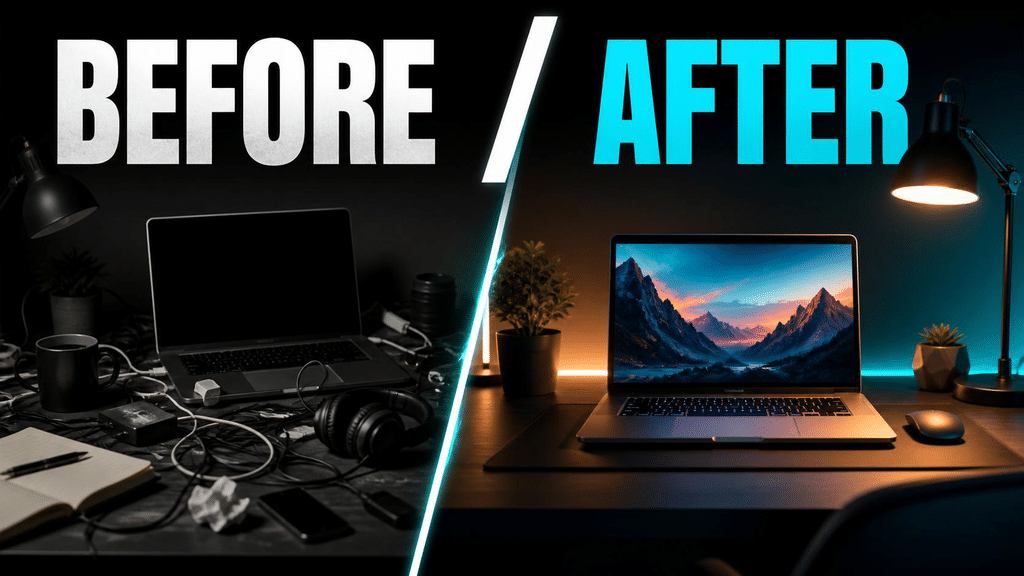
Suggested image 1: A before-and-after comparison of a plain YouTube thumbnail and a polished technology-themed thumbnail.
建议配图 1: 普通视频封面与优化后的科技风封面对比图。可以突出标题、人物或产品主体,以及更清晰的颜色对比。
2. Start with a Clear Thumbnail Concept
Before generating an image, define three things: the video topic, the target audience, and the main message viewers should remember. A thumbnail for “How to Use ChatGPT” should look different from one for “The Best Free AI Coding Tools.” The more specific your concept, the easier it becomes to create a focused design.
在生成图片之前,先明确三个要素:视频主题、目标观众,以及你最希望观众记住的信息。例如,“如何使用 ChatGPT”的封面,与“最好用的免费 AI 编程工具”的封面,应该采用不同的设计思路。主题描述越具体,最终封面就越容易突出重点。
For example, imagine you’re making a video titled “5 AI Tools That Save You Hours Every Week.” The thumbnail could feature a laptop, several AI-related visual elements, a bold headline such as “WORK SMARTER,” and a clean blue-purple color scheme. The goal is not to put every detail on the image, but to communicate one strong idea instantly.
举个例子,假设你准备制作一条名为“每周帮你节省数小时的 5 款 AI 工具”的视频。封面可以使用笔记本电脑、AI 相关视觉元素、醒目的英文标题“WORK SMARTER”,并搭配简洁的蓝紫色配色。重点不是把所有信息都塞进封面,而是让观众在很短的时间内理解一个核心卖点。
Copy-and-Use Prompt 1: Generate Thumbnail Ideas
English prompt:
Act as a professional YouTube thumbnail designer and a technology content creator. My video topic is “[INSERT VIDEO TOPIC]”, and my target audience is “[INSERT TARGET AUDIENCE]”. Suggest 5 clickable thumbnail concepts. For each concept, provide a short headline of 2–5 words, the main visual subject, the background, the color palette, and the emotional hook. Keep the ideas clear, original, and suitable for a technology-focused YouTube channel.
中文提示词:
请扮演一名专业的 YouTube 视频封面设计师和科技内容创作者。我的视频主题是“[填写视频主题]”,目标观众是“[填写目标受众]”。请为我设计 5 个具有吸引力的封面创意。每个创意都需要包含 2–5 个英文单词组成的短标题、画面主体、背景设计、配色方案和吸引观众的情绪切入点。要求创意清晰、具有原创性,并适合科技类 YouTube 频道。
3. Set the Correct 16:9 Aspect Ratio
For standard YouTube video thumbnails, a 16:9 aspect ratio is the usual choice. A practical working size is 1280 × 720 pixels. When asking ChatGPT to generate an image, explicitly mention “16:9 aspect ratio” and, if supported, select a landscape image format. If the image tool does not offer exact dimensions, you can crop or resize the result afterward using an image editor.
YouTube 标准视频封面通常采用 16:9 的横向比例,常用制作尺寸为 1280 × 720 像素。使用 ChatGPT 生成图片时,可以明确写出“16:9 aspect ratio”,并在界面支持的情况下选择横向图片格式。如果图片生成工具不支持精确指定尺寸,也可以在生成后使用图片编辑工具进行裁剪或调整。
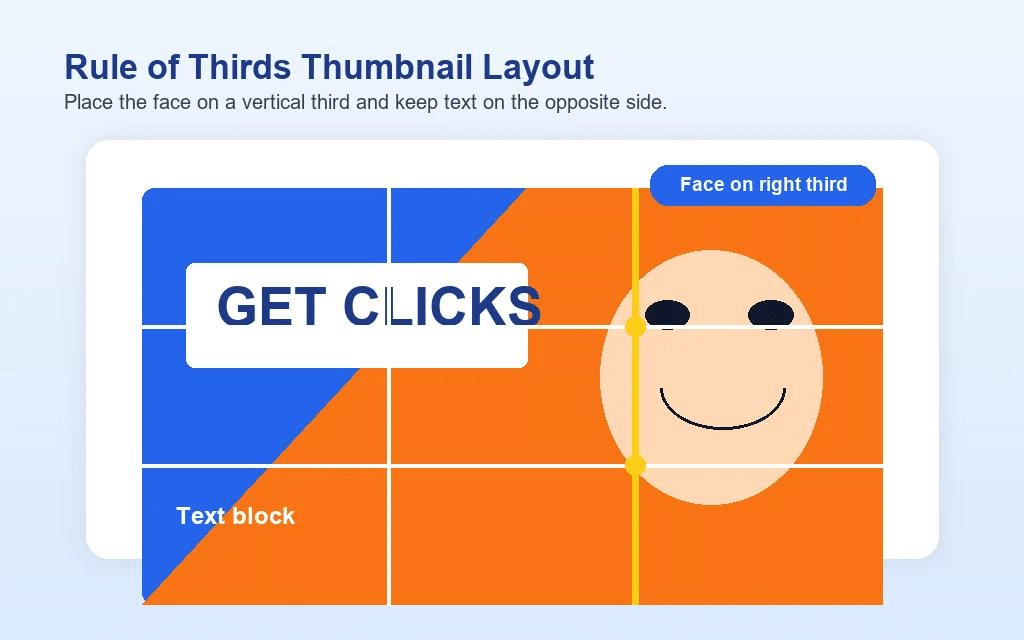
One useful trick is to tell ChatGPT where the main subject and headline should appear. For example, place the person or product on the right and leave negative space on the left for text. This gives you more control over the composition and makes the thumbnail easier to finish in a separate editor.
一个实用技巧是,提前告诉 ChatGPT 主体和标题应该放在什么位置。例如,把人物或产品放在画面右侧,左侧留出足够的空白用于放置文字。这样可以更好地控制画面构图,也方便后续使用其他编辑工具添加标题和细节。
Copy-and-Use Prompt 2: Create a 16:9 Thumbnail Image
English prompt:
Create a professional YouTube thumbnail for a video about “[INSERT VIDEO TOPIC]”. Use a 16:9 landscape composition suitable for a standard YouTube thumbnail. Place the main subject on the right side and leave clean negative space on the left for a headline. Use a modern technology aesthetic, strong visual contrast, crisp details, balanced lighting, and a simple background. Make the main subject immediately recognizable at small sizes. Avoid clutter, tiny details, watermarks, and unnecessary decorative elements.
中文提示词:
请为一条主题为“[填写视频主题]”的视频制作一张专业的 YouTube 封面。采用适合标准 YouTube 视频封面的 16:9 横向构图。将主要主体放在画面右侧,并在左侧留出干净的空白区域用于添加标题。整体采用现代科技风格,突出视觉对比、清晰细节、均衡光线和简洁背景。确保主体在缩小显示时依然容易辨认。避免画面杂乱、过多细节、水印和不必要的装饰元素。
Important: A prompt can request a 16:9 composition, but the actual output dimensions depend on the image-generation tool. Always check the final file before uploading it.
注意: 提示词可以要求采用 16:9 构图,但实际输出尺寸仍取决于所使用的图片生成工具。上传 WordPress 之前,请检查最终图片的比例和分辨率。
Suggested image 2: A 16:9 thumbnail layout diagram showing the main subject on the right, headline space on the left, and a clear visual hierarchy.
4. Choose a Visual Style That Matches Your Channel
Consistency matters. If every video on your channel uses a completely different style, viewers may find it harder to recognize your content. ChatGPT can help you explore styles such as futuristic technology, minimalist design, bold YouTube creator graphics, realistic product photography, or clean editorial layouts. Pick one main style and reuse it across related videos.
统一的视觉风格非常重要。如果频道中的每条视频都采用完全不同的设计方式,观众可能很难快速识别你的内容。你可以让 ChatGPT 尝试未来科技风、极简设计、醒目的创作者风格、写实产品摄影,或者简洁的杂志式排版。选择一种主要风格,并在相关视频中持续使用。
For a technology channel, a dark background with electric blue or purple accents can create a futuristic atmosphere. For beginner-friendly tutorials, a bright background, simple icons, and readable text may work better. The best style is not necessarily the most complicated one; it is the one that communicates your video’s message clearly.
对于科技频道,深色背景搭配亮蓝色或紫色点缀,可以营造未来科技感。对于面向新手的软件教程,明亮背景、简洁图标和清晰文字可能更加合适。最好的设计不一定最复杂,而是能够清楚传达视频主题的设计。
Copy-and-Use Prompt 3: Explore Three Design Styles
English prompt:
Create three distinct visual directions for a YouTube thumbnail about “[INSERT VIDEO TOPIC]”:
- Futuristic tech style with dark backgrounds and electric blue accents.
- Minimalist style with a clean background and a strong focal point.
- Bold creator style with expressive visuals and high contrast.
Keep the same core subject across all three concepts. Explain the strengths of each style and recommend the best one for “[INSERT CHANNEL TYPE]”. Use a 16:9 landscape composition.
中文提示词:
请为主题为“[填写视频主题]”的 YouTube 封面设计三种明显不同的视觉方向:
- 未来科技风:深色背景搭配亮蓝色点缀。
- 极简风:干净的背景和明确的视觉焦点。
- 创作者风格:具有表现力的视觉元素和强烈的明暗对比。
三种方案需要保持相同的核心主体。请解释每种风格的优势,并根据“[填写频道类型]”推荐最合适的方案。整体采用 16:9 横向构图。
5. Add a Short, Readable Headline
A thumbnail headline should support the video title rather than repeat the entire title. Short phrases such as “SAVE HOURS,” “FREE AI TOOLS,” or “BUILD IT FASTER” can be easier to read than a long sentence. Use strong contrast between the text and background, and make sure the headline remains legible when the thumbnail is displayed at a small size.
封面上的文字应该辅助视频标题,而不是把完整标题重新写一遍。“SAVE HOURS”“FREE AI TOOLS”或“BUILD IT FASTER”这样的短语,通常比一整句话更容易阅读。文字与背景之间需要有足够的对比度,并且要确保封面缩小后,标题依然清楚可辨。
A practical workflow is to generate the background and main visual with ChatGPT, then add the final headline in an image editor such as Canva or another tool you prefer. Image-generation systems may occasionally produce misspelled words, distorted letters, or awkward text placement. Adding the headline afterward gives you more precise control over typography and alignment.
一个实用的工作流程是:先使用 ChatGPT 生成背景和主要视觉元素,再通过 Canva 或其他你熟悉的图片编辑工具添加最终标题。图片生成模型有时会出现拼写错误、字母变形或文字位置不自然等问题。后期单独添加标题,可以更精确地控制字体、对齐方式和文字效果。
Copy-and-Use Prompt 4: Improve Headline and Layout
English prompt:
Review this YouTube thumbnail concept for a video titled “[INSERT VIDEO TITLE]”. Suggest 5 short English headline options, each containing no more than 4 words. Recommend a readable font style, text placement, and text-to-background contrast. Keep the design uncluttered and make sure the headline complements rather than duplicates the full video title. If the image already contains text, identify any parts that may be difficult to read.
中文提示词:
请检查这张主题为“[填写视频标题]”的 YouTube 封面设计方案。提供 5 个简短的英文封面标题,每个标题不超过 4 个单词。请推荐合适且易读的字体风格、文字摆放位置,以及文字与背景之间的对比方案。保持画面简洁,并确保封面标题是对视频标题的补充,而不是简单重复。如果图片中已经包含文字,请指出可能难以阅读的部分。
6. Refine the Thumbnail with Follow-Up Prompts
The first generated image is a starting point, not necessarily the final version. Review the result at full size and at a smaller preview size. Check whether the main subject is obvious, the colors are balanced, the empty space is useful, and the overall image communicates the intended topic. Then make one or two focused changes at a time instead of rewriting the entire prompt.
第一次生成的图片只是起点,不一定就是最终成品。你可以先以原始尺寸查看,再缩小预览,检查主体是否突出、颜色是否协调、留白是否合理,以及画面能否准确表达视频主题。接下来,每次只针对一两个问题进行调整,而不是每次都完全重写提示词。
For example, if the background is too busy, ask ChatGPT to simplify it. If the main subject blends into the background, request stronger contrast and clearer lighting. If the image feels too dark, ask for a brighter background or a more visible subject. Small, specific adjustments usually make the design process easier to manage.
例如,如果背景太过复杂,可以让 ChatGPT 简化背景;如果主体与背景融在一起,可以要求增强对比度并改善光线;如果整体画面过暗,可以要求提高背景亮度,或让主体更加醒目。小幅、明确的调整通常更容易控制,也更方便比较不同版本。
Copy-and-Use Prompt 5: Improve an Existing Thumbnail
English prompt:
Improve the current YouTube thumbnail while preserving its main subject and overall concept. Make the focal point more prominent, simplify distracting background elements, improve color contrast, and leave enough clean space for a short headline. Keep the composition balanced and readable at small sizes. Do not introduce unrelated objects or change the video’s core message. The target style is “[INSERT DESIRED STYLE]”.
中文提示词:
请在保留当前 YouTube 封面主要主体和整体创意的基础上进行优化。让视觉焦点更加突出,简化干扰注意力的背景元素,改善颜色对比,并为简短标题保留足够的干净空间。保持构图平衡,确保图片缩小后依然容易阅读。不要加入无关物体,也不要改变视频的核心主题。目标风格为“[填写想要的设计风格]”。
Suggested image 3: Three versions of the same thumbnail showing a busy first draft, an improved composition, and a polished final layout.
7. A Complete Example: Create a Thumbnail for an AI Tools Tutorial
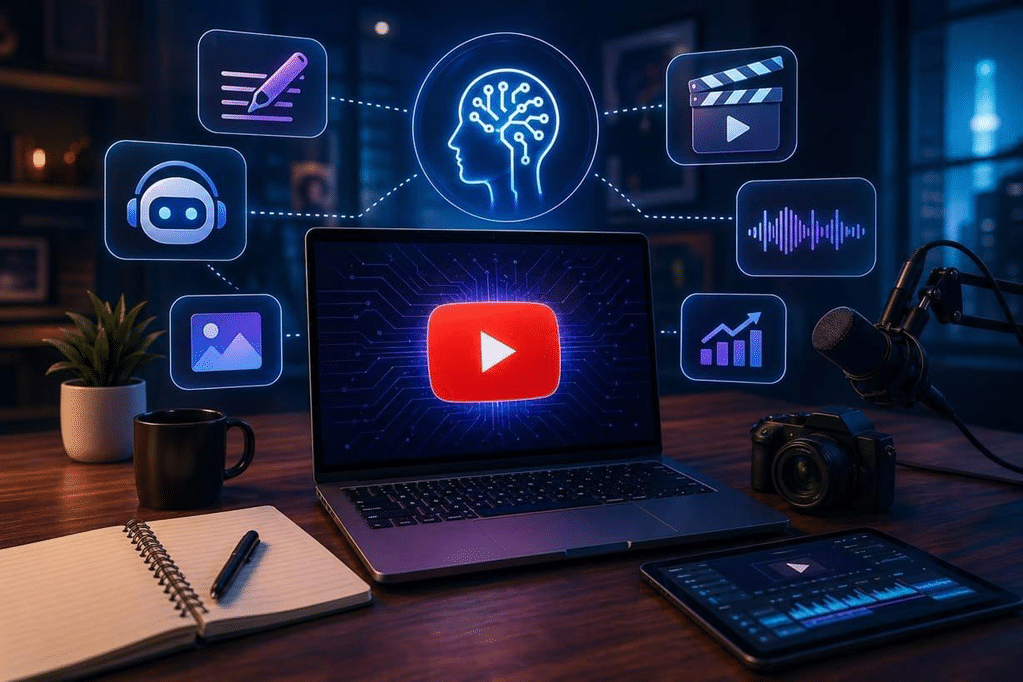
Let’s put the workflow together. Imagine your video is titled “5 Free AI Tools You Should Try in 2026.” The goal is to attract people interested in AI productivity while keeping the thumbnail clean and professional. A possible concept is a laptop displaying an abstract AI interface, several floating digital elements, a dark blue background, and a large headline reading “FREE AI TOOLS.”
现在把整个流程串联起来。假设你的视频标题是“2026 年值得尝试的 5 款免费 AI 工具”。目标是吸引对 AI 效率工具感兴趣的观众,同时保持封面简洁、专业。一个可行的创意是:画面中央或右侧放置展示抽象 AI 界面的笔记本电脑,周围搭配少量数字元素,背景使用深蓝色,左侧则放置醒目的标题“FREE AI TOOLS”。
Full prompt for ChatGPT image generation:
Create a professional YouTube thumbnail for a technology tutorial titled “5 Free AI Tools You Should Try in 2026.” Use a 16:9 landscape composition with a modern laptop displaying a clean, abstract AI interface on the right side. Use a dark navy background with electric blue and purple accents, subtle glowing details, strong visual hierarchy, and realistic lighting. Leave clear negative space on the left for the headline “FREE AI TOOLS,” which will be added later. Make the design polished, uncluttered, and easy to understand on a mobile screen. Avoid brand logos, watermarks, tiny text, and unnecessary objects.
ChatGPT 图片生成完整提示词:
请为一篇科技教程视频制作专业的 YouTube 封面,视频标题为“5 Free AI Tools You Should Try in 2026”。采用 16:9 横向构图,在画面右侧放置一台展示简洁抽象 AI 界面的现代笔记本电脑。背景使用深海军蓝色,并搭配亮蓝色和紫色点缀、微弱的发光细节、清晰的视觉层次以及写实光线。左侧留出明显的空白区域,以便后期添加标题“FREE AI TOOLS”。整体设计需要精致、简洁,并且适合在手机屏幕上观看。避免品牌标志、水印、过小的文字和不必要的物体。
After generating the image, review it before adding text. If the laptop looks distorted, the background is too bright, or the subject is too small, use the refinement prompt from the previous section. Once the image looks right, add the headline in your preferred editor, export the image in a suitable 16:9 format, and preview it at a smaller size before publishing.
生成图片后,不要急着直接发布,先检查笔记本电脑是否变形、背景是否过亮,以及主体是否太小。如果存在这些问题,可以使用上一节的优化提示词进行调整。确认画面满意后,再用自己熟悉的编辑工具添加标题,将图片导出为合适的 16:9 格式,并在发布前缩小预览一次。
8. Common Mistakes to Avoid
Mistake 1: Too much text. Long headlines are difficult to read on mobile devices. Keep the message short and let the video title provide the additional details.
错误一:文字太多。 过长的标题在手机屏幕上很难阅读。尽量精简封面文字,更多信息可以放在视频标题中说明。
Mistake 2: Too many visual elements. Multiple icons, effects, and decorative objects can compete for attention. Use one clear focal point and only a few supporting elements.
错误二:视觉元素过多。 太多图标、特效和装饰物会互相争夺注意力。建议保留一个明确的视觉焦点,再搭配少量辅助元素即可。
Mistake 3: Relying on generated text. AI-generated images may contain inaccurate text or distorted letters. Add important headlines manually when accuracy matters.
错误三:完全依赖图片中的 AI 文字。 AI 生成图片时可能出现错误文字或变形字母。对准确性要求较高的封面,建议后期手动添加重要标题。
Mistake 4: Ignoring mobile previews. A thumbnail that looks attractive on a large monitor may become unreadable when reduced. Always check the design at a small size before publishing.
错误四:忽略手机预览效果。 在大显示器上看起来漂亮的封面,缩小后可能难以辨认。发布之前,务必检查小尺寸显示效果。
Mistake 5: Using misleading visuals. A thumbnail should create interest without promising something the video does not deliver. Keep the design visually compelling but consistent with the actual content.
错误五:使用误导性画面。 封面可以制造期待感,但不应该承诺视频实际没有提供的内容。保持视觉吸引力的同时,也要确保设计与视频内容一致。
9. Final Checklist Before Uploading
Before publishing your thumbnail, run through this quick checklist:
发布封面之前,可以按照下面的清单快速检查一遍:
- The main subject is immediately recognizable.
- 主要主体足够突出,观众能够快速识别。
- The headline is short, readable, and correctly spelled.
- 封面标题简短、清晰,并且拼写正确。
- The colors and composition match the channel’s visual style.
- 配色和构图符合频道整体的视觉风格。
- The image uses a suitable 16:9 layout and has been checked at small sizes.
- 图片采用合适的 16:9 构图,并且已经检查过缩小后的显示效果。
- The thumbnail accurately represents the actual video content.
- 封面准确反映视频内容,没有夸大或误导观众。
- The exported image meets YouTube’s current thumbnail requirements.
- 导出的图片符合 YouTube 当前的视频封面要求。
Conclusion: Make Thumbnail Design Easier with ChatGPT
ChatGPT can make YouTube thumbnail creation easier by helping you develop ideas, write image prompts, explore visual styles, and improve a design through focused revisions. You don’t need to master professional design software before getting started. Begin with a clear topic, use a well-structured prompt, and refine the image based on what actually needs improvement.
ChatGPT 可以通过创意构思、提示词编写、视觉风格探索和针对性修改,让 YouTube 封面制作变得更简单。你不需要先精通专业设计软件才能开始。只要明确视频主题、使用结构清晰的提示词,再根据实际效果进行调整,就能逐步完成一张更专业的封面。
From a tech enthusiast’s perspective, the best workflow is not to expect one prompt to solve everything. Treat ChatGPT as a creative assistant: let it handle the brainstorming and visual direction, then check the details yourself. With a little practice, you can build a repeatable thumbnail workflow that saves time and helps your channel develop a more consistent look.
从技术宅的角度来看,最好的工作方式并不是期待一条提示词解决所有问题,而是把 ChatGPT 当作创意助手:让它帮助你完成构思和视觉规划,再由自己检查关键细节。经过几次实践,你就能建立一套可以重复使用的封面制作流程,节省时间,也让频道逐渐形成统一的视觉风格。
Which part of thumbnail design do you find the most challenging: choosing a concept, generating the image, or adding the headline? Try one of the prompts above and adapt it to your next video.
你觉得视频封面制作中最困难的是哪一步:构思创意、生成图片,还是添加标题?不妨试试上面的提示词,并根据下一条视频的主题进行修改。