A practical, screenshot-led guide to building a safer WordPress backup routine and preparing for a failed update. This case study uses the visible settings from Hachke’s WordPress admin area; it distinguishes observed evidence from steps that still need to be tested.
这是一篇结合真实后台截图的 WordPress 备份与恢复实操指南,重点是建立更可靠的备份机制,并为更新失败做好准备。本文以 Hachke 的 WordPress 后台为案例,明确区分截图中已观察到的事实和仍需实际验证的步骤。
Key finding / 核心发现
The supplied screenshots show UpdraftPlus 1.26.14 is active and two existing backup sets are listed. However, both the file and database schedules are set to Manual, and no remote storage provider appears selected in the supplied Settings screenshot. That means the screenshots do not demonstrate a fully automated, off-site backup plan yet.
你提供的截图显示 UpdraftPlus 1.26.14 已启用,并列出两组现有备份。不过,文件和数据库的备份计划都设为 Manual,设置页面中也没有明显显示已选中的远程存储服务。因此,现有截图还不能证明网站已建立完整的自动化异地备份机制。
1. The real-world WordPress environment / 实际 WordPress 环境
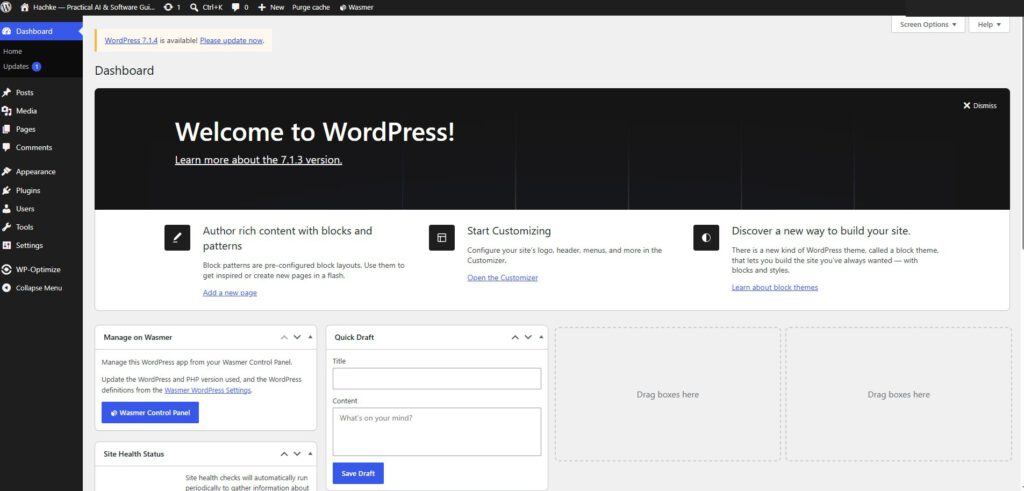
The dashboard screenshot shows WordPress 7.1.3 in the welcome panel and an update notice for 7.1.4. Treat this as a timestamped observation from the screenshot, not a claim about the latest release today. Before any update, check the current official release information, hosting compatibility, plugin compatibility, and a recent restorable backup.
后台截图的欢迎区域显示 WordPress 7.1.3,同时提示可更新到 7.1.4。这只是截图时的环境记录,并不代表该版本就是当前最新版本。更新前应检查官方版本信息、主机兼容性、插件兼容性,并确认最近的备份确实可以恢复。
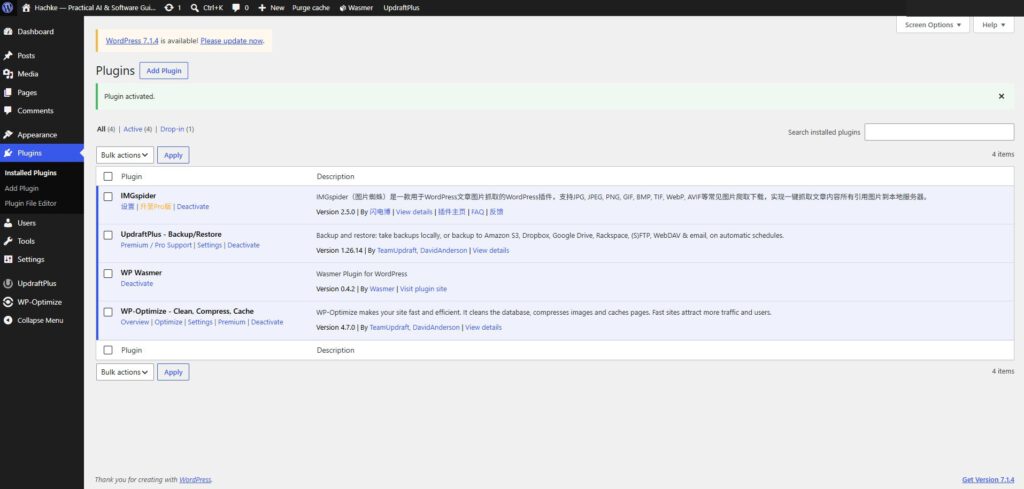
The plugin list shows UpdraftPlus Backup/Restore version 1.26.14, alongside WP-Optimize and other plugins. A backup plugin is only one part of a recovery plan: its schedule, storage destination, retention policy, and restore verification all need to be configured and checked.
插件列表显示 UpdraftPlus Backup/Restore 版本为 1.26.14,同时安装了 WP-Optimize 等插件。备份插件只是恢复方案的一部分;还需要配置备份计划、存储位置、保留策略,并验证恢复流程。
2. Diagnose the current backup configuration / 检查当前备份配置
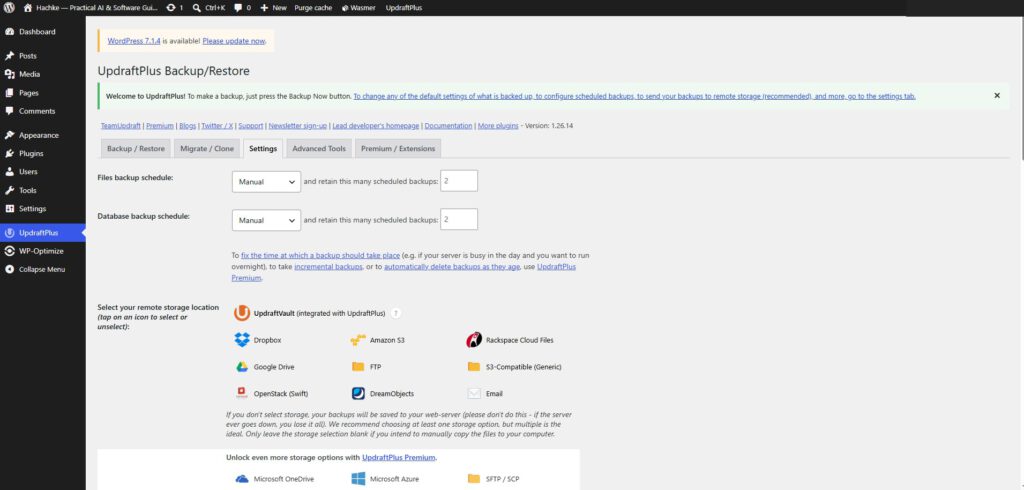
The most actionable finding is visible directly in the settings: “Files backup schedule” and “Database backup schedule” both read “Manual.” The retention fields show 2 scheduled backups, but retention settings do not create a schedule by themselves. First choose a frequency for each backup type; then save the settings and verify that the main backup page displays the next scheduled run.
最直接的发现就在设置页面:“Files backup schedule”和“Database backup schedule”都显示为“Manual”。保留数量字段为 2,但保留策略本身不会自动创建计划。应先分别选择文件和数据库的备份频率,保存后再回到备份主页,确认是否显示下一次计划执行时间。
For a small content site, a reasonable starting point is daily database backups and weekly file backups, adjusted for how often posts, uploads, themes, and plugins change. A site with frequent publishing or user-generated content may need more frequent backups. The right schedule depends on the acceptable data-loss window, not on a universal rule.
对于内容更新频率不高的小型网站,可以先考虑每天备份数据库、每周备份文件,再根据文章发布、媒体上传、主题和插件变动频率调整。频繁发布内容或包含用户生成数据的网站可能需要更高频率。合适的计划应由可接受的数据丢失时间决定,而不是套用固定规则。
The Settings screen lists remote storage choices such as Google Drive, Dropbox, Amazon S3, FTP, and S3-compatible storage. The screenshot does not clearly show a provider selected. Configure one destination that is separate from the web server, complete its authorization, and run a test backup. A backup stored only on the same server may be lost if the hosting account or server fails.
设置页面列出了 Google Drive、Dropbox、Amazon S3、FTP 和兼容 S3 的存储选项。截图中没有明显显示已选择某个服务。建议配置一个独立于网站服务器的存储目的地,完成授权后运行测试备份。若备份只保存在同一台服务器上,主机或账户发生故障时,备份也可能一起丢失。
3. What the existing backups prove—and what they do not / 现有备份能证明什么
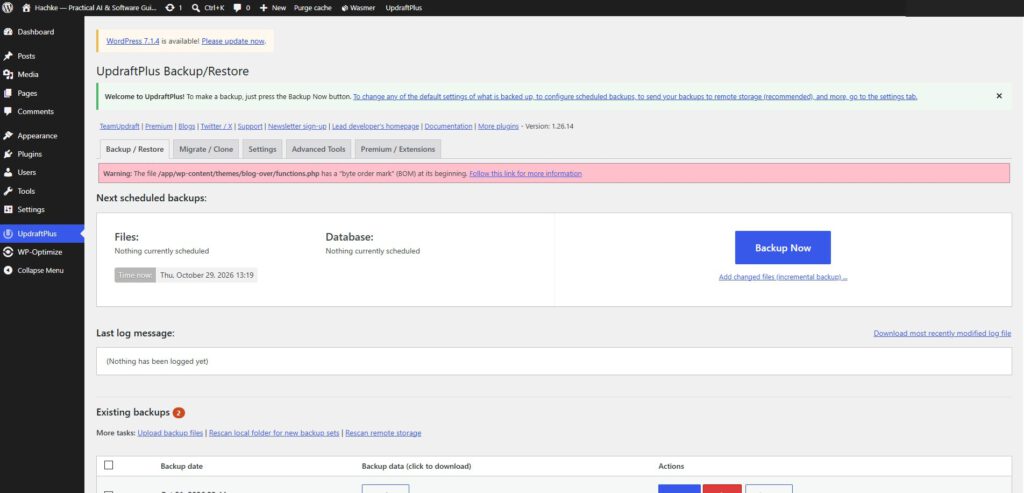
The main screen lists two existing backup sets, which is useful evidence that backup artifacts exist. It does not, by itself, prove that every set contains the database and all required files, that the files are uncorrupted, or that restoration will complete successfully. Inspect the component list and timestamps, then validate a backup in a staging environment when possible.
主页面列出了两组现有备份,这可以证明备份文件记录确实存在。但这并不能单独证明每组备份都包含数据库和所有必要文件,也不能证明文件没有损坏或恢复一定成功。应检查备份组件和时间戳,并尽可能在测试环境中验证恢复。
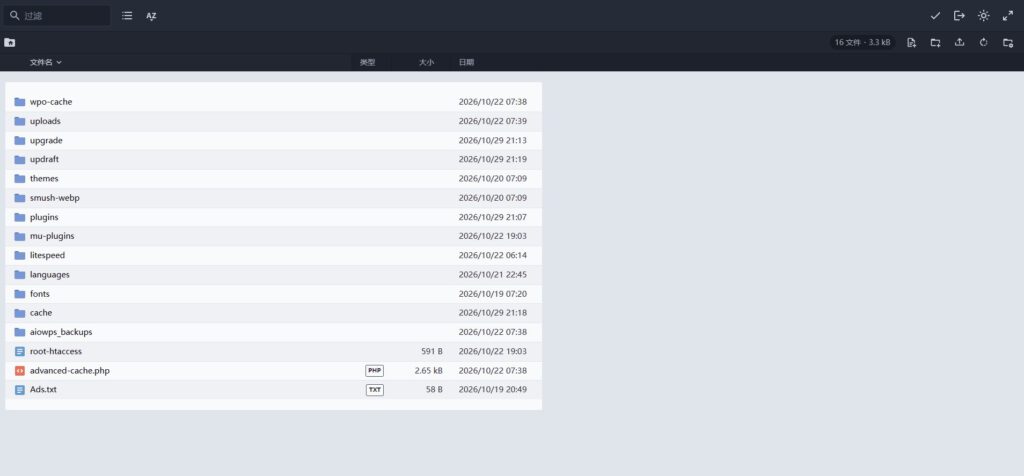
The file manager shows folders including uploads, themes, plugins, and updraft. These locations help explain what a file backup may cover, but a directory listing is not a backup-completeness test. Confirm that the actual backup set includes the content you need and that a copy exists outside the hosting account.
文件管理器中可以看到 uploads、themes、plugins 和 updraft 等目录。这些目录有助于说明文件备份可能涉及的内容,但目录列表并不能验证备份完整性。应确认备份集中确实包含所需内容,并且至少有一份副本保存在主机账户之外。
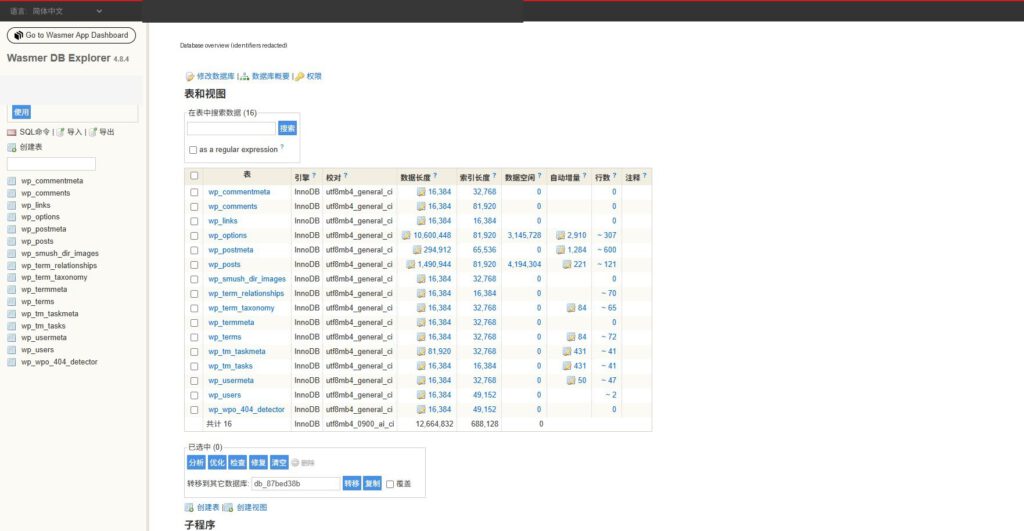
The database screenshot shows a WordPress-style set of tables, including posts, options, users, and metadata. It is a structural view, not evidence of a completed SQL export. For a dependable recovery plan, create a database backup and confirm that the backup artifact can be located and downloaded without exposing credentials or customer data.
数据库截图显示了常见的 WordPress 数据表,包括文章、选项、用户和元数据表。这是数据库结构视图,并不是 SQL 导出成功的证据。可靠的恢复方案需要实际生成数据库备份,并确认可以找到和下载备份文件,同时避免暴露凭据或用户数据。
4. A safe backup workflow / 安全的备份工作流
1. Back upDatabase + filesRecord timestamp2. Store off-siteCloud / remote hostKeep multiple copies3. VerifyCheck componentsTest on staging4. UpdateMonitor healthRestore if neededA backup is not proven until its contents and recovery path have been checked.
Use this order: create a database backup and a file backup; copy them to remote storage; check the backup set and record the completion time; update WordPress, plugins, or themes only after the backup is verified; then test the public site and key workflows. For higher-risk updates, test on staging first.
建议按以下顺序操作:先备份数据库和网站文件;再复制到远程存储;检查备份组件并记录完成时间;确认备份可用后再更新 WordPress、插件或主题;最后检查网站前台和关键功能。风险较高的更新应先在测试环境中验证。
5. What to do after a failed WordPress update / WordPress 更新失败后怎么办
First identify the failure mode. If WordPress is stuck in maintenance mode, check whether a stale .maintenance file remains in the WordPress root and remove it only after confirming the update process has stopped. If the site returns a 500 error or a blank page, inspect the PHP error log and hosting logs before changing files blindly.
首先识别故障类型。如果 WordPress 卡在维护模式,应检查根目录是否残留 .maintenance 文件,并且只有在确认更新进程已经停止后才将其删除。如果网站出现 500 错误或白屏,应先查看 PHP 错误日志和主机日志,不要盲目修改文件。
If a plugin or theme update caused the issue, use a staging copy or the hosting file manager to disable the suspected component safely. If files or the database are damaged, restore the matching backup components using the backup tool or hosting provider’s documented process. Database and file backups should represent compatible points in time; restoring only one side may leave the site inconsistent.
如果问题由插件或主题更新引起,应通过测试副本或主机文件管理器安全停用可疑组件。如果文件或数据库已损坏,则应使用备份插件或主机提供的正式流程恢复对应组件。数据库与文件备份应尽量对应相近的时间点;只恢复其中一部分可能导致网站数据不一致。
After restoration, check the homepage, several posts or pages, login, media files, forms, permalinks, and any business-critical plugin. Clear caches only after the restored content is confirmed. Keep the failed-update logs and backup timestamps for later diagnosis.
恢复后,应检查首页、多个文章或页面、后台登录、媒体文件、表单、固定链接以及业务关键插件。确认恢复内容正常后再清理缓存。保留更新失败日志和备份时间戳,方便后续诊断。
6. Evidence-based comparison—not invented benchmark results / 基于证据的方案对比,而非虚构测试数据
The supplied screenshots establish the current configuration, but they do not include timed backup runs, file sizes, remote-upload results, or a completed restore test. The table below therefore compares operational characteristics rather than claiming measured speed or recovery-time results.
目前的截图能够证明当前配置状态,但尚未提供备份运行耗时、文件大小、远程上传结果或完整恢复测试。因此,下表比较的是各方案的操作特征,而不是声称已经测得具体速度或恢复时间。
| Approach / 方案 | Strength / 优点 | Risk or limitation / 风险或限制 | Evidence to collect / 应收集证据 |
|---|---|---|---|
| Plugin-based backup 插件备份 | Easy to configure from WordPress admin 可在后台配置 | Depends on schedule, PHP limits, and storage setup 受计划、PHP 限制和存储配置影响 | Run log, component list, archive size 运行日志、组件列表、备份大小 |
| Hosting snapshot 主机快照 | May capture files and database together 可能同时覆盖文件和数据库 | May remain tied to the same hosting account 可能仍依赖同一主机账户 | Snapshot policy and restore procedure 快照策略与恢复流程 |
| Manual export 手动导出 | Transparent and easy to inspect 过程透明,便于检查 | Easy to forget; may not be consistent 容易遗忘,也可能缺乏时间一致性 | SQL export, archive, timestamp SQL 导出、压缩包、时间戳 |
| Off-site copy 异地副本 | Helps protect against server/account loss 降低服务器或账户故障风险 | Needs authorization and retention management 需要授权与保留策略 | Remote object exists and can be retrieved 确认远端文件存在且可取回 |
7. Recommended next steps for Hachke / Hachke 的下一步建议
- Choose and save a schedule for both files and database backups.为文件和数据库备份分别选择计划并保存。
- Configure at least one remote destination and verify authorization.配置至少一个远程存储位置,并确认授权有效。
- Run a manual backup and record completion status, components, timestamp, and archive size.运行一次手动备份,记录完成状态、组件、时间戳和备份大小。
- Check whether the theme’s
functions.phpBOM warning is legitimate and resolve it carefully after taking a backup. Do not edit the live file without a recovery path.检查主题functions.php的 BOM 警告是否属实,并在备份后谨慎处理。没有可用恢复方案前,不要直接修改线上文件。 - Perform a restore drill on staging, not on the production website. Record the actual duration and validate key pages and functions.在测试环境而非生产网站进行恢复演练,记录真实耗时,并验证关键页面和功能。
8. WordPress publishing recommendations / WordPress 发布建议
SEO title / SEO 标题
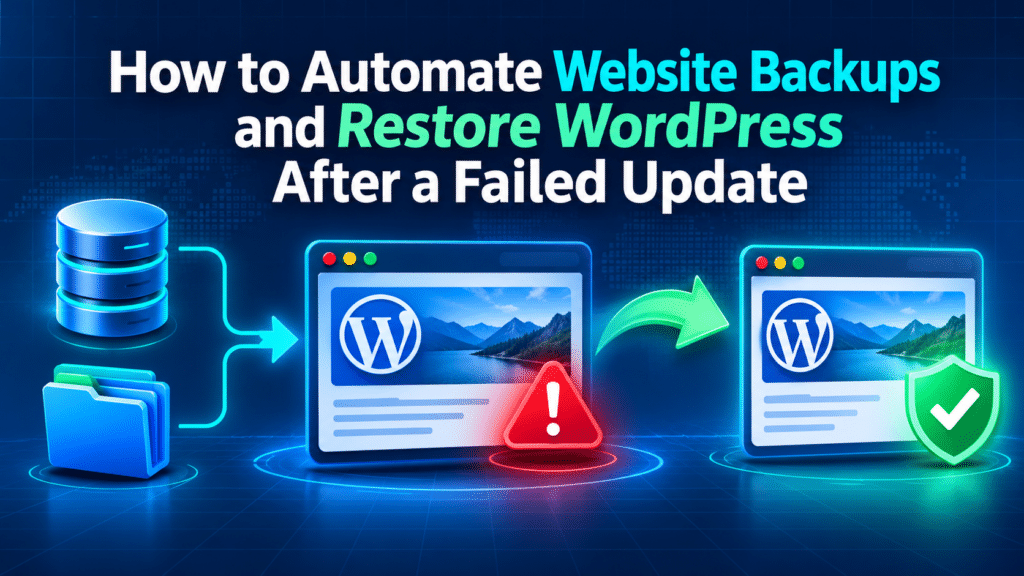
How to Automate Website Backups and Restore WordPress After a Failed Update
Suggested slug / 建议固定链接automate-wordpress-backups-restore-failed-update
Meta description / SEO 描述
Learn how to automate WordPress backups and recover safely after a failed update. A real-world Hachke case study using UpdraftPlus, backup scheduling, remote storage, and restore checks.
Focus keyphrase / 核心关键词automate WordPress backups
Related keyphrases / 相关关键词restore WordPress after failed update, UpdraftPlus backup schedule, WordPress database backup, WordPress site recovery
Featured image alt text / 特色图片替代文本
WordPress backup and recovery workflow after a failed update
In WordPress, set the article title as the H1 and keep the slug short. If your theme already prints the post title as H1, do not add another visible H1 inside the editor body. Upload the featured image separately to the Media Library for social sharing and theme thumbnails; the image embedded at the top of this standalone HTML is for portability.
在 WordPress 中,将文章标题设置为 H1,并保持固定链接简洁。如果主题已经自动将文章标题输出为 H1,就不要在正文中再添加一个可见的 H1。建议将特色图片单独上传到媒体库,用于社交分享和主题缩略图;本文开头嵌入图片是为了让独立 HTML 文件也能直接显示。
Use descriptive image filenames, add alt text to meaningful screenshots, and keep captions factual. Add internal links to related Hachke guides on WordPress maintenance, website security, hosting, and performance. Avoid repeating the exact keyphrase unnaturally; prioritize clear explanations and evidence.
图片文件名应有描述性,重要截图应填写替代文本,图注则应客观准确。可以添加指向 Hachke 站内 WordPress 维护、网站安全、主机和性能文章的内链。避免不自然地重复核心关键词,应优先保证解释清晰、证据充分。
References / 参考资料