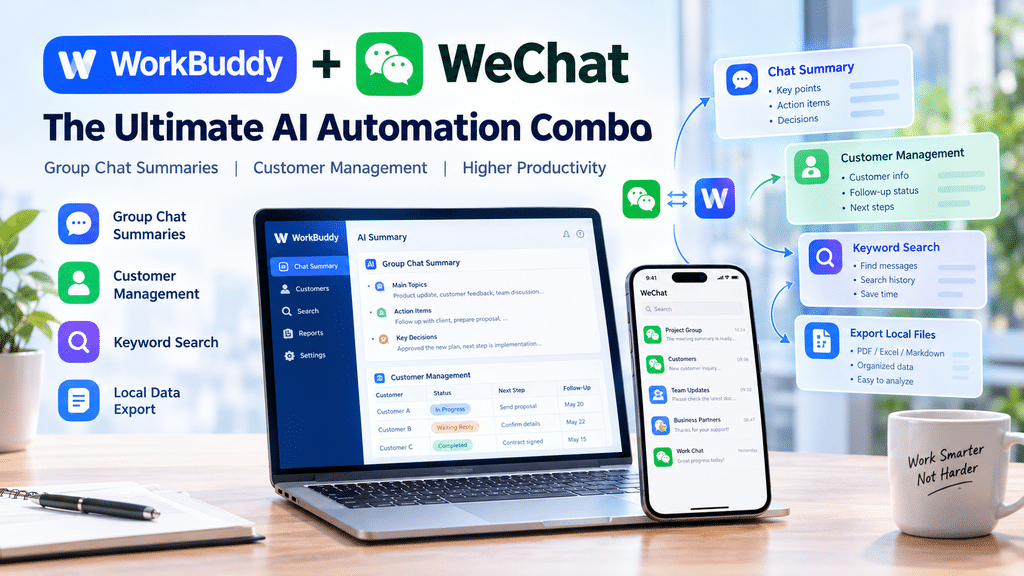
1. WorkBuddy + WeChat: A Smarter Way to Handle Daily Messages
1. WorkBuddy + 微信:让日常消息处理更智能
If you spend hours every day reading company group chats, tracking customer requests, and searching for important messages, you already know how much time communication can consume. WorkBuddy combined with a suitable local data workflow may help turn scattered conversations into structured information, making daily office work more efficient.
如果你每天都要花大量时间查看公司群消息、跟进客户需求、寻找重要聊天记录,就会明白沟通工作有多么耗时。通过 WorkBuddy 配合合适的本地数据处理流程,可以尝试将零散的聊天内容整理成结构化信息,让日常办公更加高效。
Instead of manually scrolling through hundreds of messages, an AI-assisted workflow can help summarize discussions, identify pending tasks, organize customer follow-ups, and prepare searchable notes. The goal is not to replace human judgment, but to reduce repetitive information processing.
相比手动翻阅几百条聊天消息,AI 辅助工作流可以帮助你总结讨论内容、识别待办事项、整理客户跟进记录,并生成方便搜索的笔记。自动化的目的不是取代人工判断,而是减少重复的信息整理工作。
What can this workflow help you do?
这套工作流可以帮助你完成哪些工作?
- Group Chat Summaries: Turn long discussions into concise meeting-style summaries.群聊摘要: 将冗长的讨论整理成简洁的会议式摘要。
- Action Item Extraction: Identify tasks, deadlines, owners, and unresolved questions.待办事项提取: 整理任务、截止日期、负责人和仍未解决的问题。
- Customer Follow-Up: Organize customer needs, communication status, and next steps.客户跟进: 记录客户需求、沟通进度以及下一步行动。
- Keyword Search: Find relevant information in authorized local records without manually searching every conversation.关键词搜索: 在获得授权的本地记录中查找相关信息,减少逐条翻阅聊天记录的时间。
- Local Reports: Export permitted summaries and structured notes for further analysis.本地报告: 将获准处理的摘要和结构化笔记导出,便于后续分析。
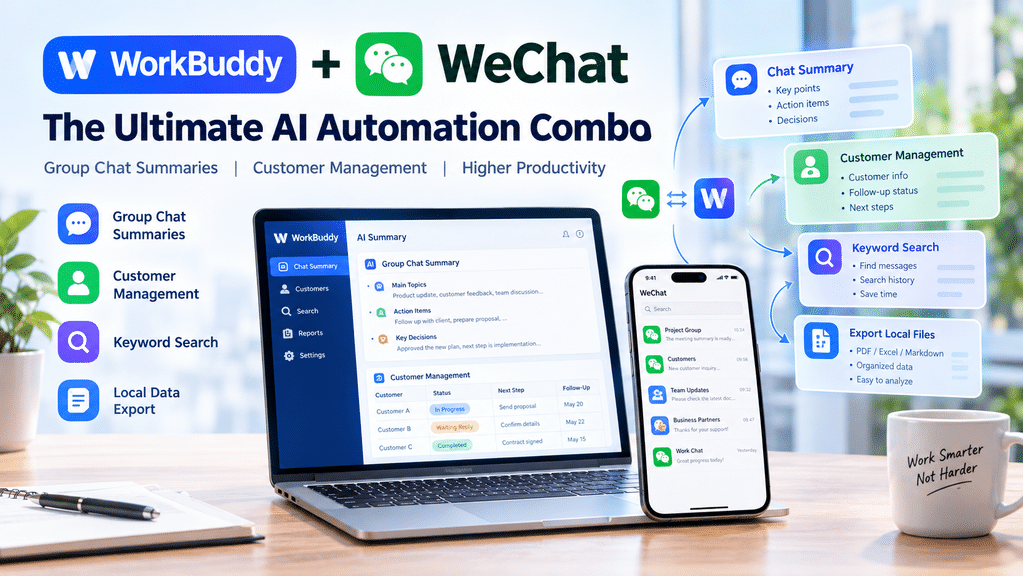
Image placement: Use the article cover image above this section. A suitable visual should show WorkBuddy, WeChat, AI summaries, and customer management in a clean technology-themed layout.
配图建议:在本节上方插入文章封面图,画面可展示 WorkBuddy、微信、AI 消息摘要和客户管理等元素,采用简洁的科技风格。
2. Before You Start: Understand the Risks
2. 开始之前:先了解使用风险
The workflow discussed in this tutorial involves third-party tools and local data processing. It is not an official integration or feature provided by Tencent or WeChat. Tool availability, compatibility, and behavior may change as desktop clients and operating systems evolve.
本文讨论的工作流涉及第三方工具和本地数据处理,并非腾讯或微信官方提供的集成功能。随着桌面客户端和操作系统不断更新,相关工具的可用性、兼容性和运行方式也可能发生变化。
Reading, analyzing, or exporting local WeChat records may create account, privacy, security, and compliance risks. Depending on the method and environment, unsupported operations may cause abnormal behavior or account restrictions. No third-party workflow can guarantee that an account will remain unaffected.
读取、分析或导出本地微信记录可能带来账号、隐私、安全和合规风险。根据所采用的方法及运行环境,未经支持的操作可能导致程序异常或账号受到限制。任何第三方工作流都无法保证账号完全不受影响。
Before testing, keep the following principles in mind:
开始测试之前,请牢记以下原则:
- Use your own computer and an account you are authorized to access.只使用自己的电脑,以及自己有权访问的账号。
- Start with a small, non-sensitive test dataset.从少量、不敏感的测试数据开始。
- Prefer documented, read-only operations and avoid modifying the original records.优先选择有明确文档说明的只读操作,避免修改原始记录。
- Never upload chat databases, decryption keys, masterkeys, account credentials, or complete private conversations to an AI service.不要将聊天数据库、解密密钥、masterkey、账号凭据或完整私人聊天记录上传至 AI 服务。
- Obtain appropriate permission before processing company conversations or customer information.在处理公司聊天内容或客户信息之前,应取得必要的授权。
This article is intended for educational purposes. The author and publisher do not guarantee compatibility, account safety, or successful execution. You are responsible for evaluating the risks and complying with applicable platform rules, workplace policies, and privacy requirements.
本文仅供学习和技术研究参考。作者及发布网站不保证工具兼容性、账号安全或操作成功率。使用者应自行评估风险,并遵守适用的平台规则、公司制度和隐私保护要求。
3. The Recommended Workflow: From Environment Checks to Useful Reports
3. 推荐工作流:从环境检查到生成实用报告
A reliable automation setup should begin with verification rather than immediately attempting to read historical messages. The most useful first step is to determine which tools are available, what permissions they require, and whether the current environment supports the intended workflow.
可靠的自动化方案应该从环境验证开始,而不是一上来就尝试读取历史消息。最重要的第一步,是确认现有工具、所需权限,以及当前环境是否支持预期的工作流程。
Step 1: Check the Environment
第一步:检查运行环境
Identify the operating system, desktop WeChat version, login status, and available local tools. Confirm that the selected tool supports the current environment before proceeding.
确认操作系统、桌面版微信版本、登录状态和可用的本地工具。在继续操作之前,先验证所选工具是否支持当前环境。
Step 2: Verify Existing Configuration
第二步:验证已有配置
If a supported tool is already configured, verify that it works before attempting any changes. Avoid repeated initialization or unnecessary system modifications when the current setup is unclear.
如果已经配置了受支持的工具,应先验证其是否正常工作,再考虑修改。对于状态不明的环境,不要反复初始化,也不要进行不必要的系统改动。
Step 3: Test with a Small, Authorized Dataset
第三步:使用少量授权数据进行测试
Start with a test conversation or a small dataset that you are permitted to process. Confirm that the results are accurate and that the tool does not unexpectedly modify or transmit private information.
先使用获准处理的测试会话或少量数据,检查结果是否准确,并确认工具不会意外修改或传输私人信息。
Step 4: Generate Summaries and Action Items
第四步:生成摘要与待办事项
Once the input data has been verified, use an AI workflow to produce structured summaries. A useful report might include the main discussion points, decisions, tasks, deadlines, and unresolved questions.
确认输入数据可靠后,再使用 AI 工作流生成结构化摘要。一份实用的报告可以包括讨论重点、已作出的决定、待办任务、截止日期和未解决的问题。
Step 5: Organize Customer Follow-Ups
第五步:整理客户跟进信息
Convert relevant, authorized business information into a structured table. Keep only the fields necessary for the task, such as customer reference, request, current status, next action, and follow-up date.
将相关且经过授权的业务信息整理成结构化表格。只保留任务所需的字段,例如客户编号或内部代号、需求、当前状态、下一步行动和跟进日期。
Step 6: Review Before Exporting
第六步:导出前进行人工检查
Review the generated output for incorrect names, misunderstood messages, missing deadlines, and sensitive information. Export only the minimum information required for the intended business purpose.
导出之前,检查生成内容中是否存在姓名错误、消息理解偏差、遗漏的截止日期或敏感信息。只导出满足业务目的所必需的最少信息。
Important: A successful installation does not prove that historical messages can be accessed correctly. Real-world verification, appropriate authorization, and privacy checks are essential.
重要提示: 工具安装成功,并不意味着它一定能够正确访问历史消息。实际结果验证、必要的授权和隐私检查缺一不可。
4. Windows: Check Compatibility Before Following a Specific Route
4. Windows:先确认兼容性,再选择具体方案
The original course material reports a successful test of its Windows workflow on Windows 10 with WeChat 4.1.10.27. According to that report, the test used a local read-only workflow and did not require downgrading WeChat or using debugger-based injection or hooking techniques.
原始课程材料称,其 Windows 工作流曾在 Windows 10 和微信 4.1.10.27 环境中完成测试。根据该材料的说明,该测试采用本地只读工作流,不需要降级微信,也不需要使用基于调试器的注入或 Hook 技术。
This is a report about one documented test environment, not an independently verified guarantee for every installation. Your version, system configuration, permissions, and available tools may produce different results.
这只是针对一个特定测试环境的结果说明,并不代表所有安装环境都能成功。你的微信版本、系统配置、权限和可用工具都可能影响最终结果。
For a Windows setup, use this high-level checklist:
Windows 环境可以按照以下检查清单进行验证:
- Confirm the operating system and WeChat version.确认操作系统和微信版本。
- Verify that the selected tool is documented and compatible.确认所选工具有明确的文档,并且兼容当前环境。
- Run its documented health or diagnostic checks.按工具文档执行健康检查或诊断操作。
- Test with a permitted conversation or sample dataset.使用获准处理的会话或样本数据进行测试。
- Stop if verification fails rather than attempting undocumented access methods.如果验证失败,应停止操作,而不是尝试未经说明的数据访问方法。
Avoid assuming that a result obtained on one Windows version will automatically apply to another version or a future WeChat release.
不要认为某个 Windows 版本中的测试结果,可以直接套用到其他版本或未来的微信更新中。
5. macOS: Different Versions May Require Different Approaches
5. macOS:不同微信版本可能需要不同方案
macOS should not be treated as a direct copy of the Windows implementation. The available tools, client architecture, permissions, and compatibility requirements may differ significantly.
macOS 不应该被视为 Windows 实现方案的简单复制版本。两种系统在可用工具、客户端架构、权限要求和兼容性方面都可能存在明显差异。
The original course material recommends checking whether an existing wechat-cli configuration is available before attempting a new setup. If a supported configuration already works, reusing it may avoid unnecessary changes. If the tool reports that no usable keys or configuration are available, do not assume the integration has succeeded.
原始课程材料建议,在尝试新配置之前,先检查是否存在可用的 wechat-cli 历史配置。如果已有配置能够正常工作,复用它可以避免不必要的修改。如果工具提示没有可用密钥或配置,不要误以为集成已经成功。
For newer macOS WeChat versions, the material also mentions an alternative compatibility route involving wcdb-key-tool. Such approaches may require additional developer tools, elevated permissions, reauthentication, debugging, or application-signing changes. These are advanced operations and should never be triggered automatically without a clear understanding of their consequences and explicit authorization.
对于较新的 macOS 微信版本,原始材料还提到了一条涉及 wcdb-key-tool 的替代兼容路线。这类方案可能需要额外的开发工具、更高权限、重新登录、调试或应用签名调整。这些都属于高级操作,在没有充分了解后果并获得明确授权之前,不应自动执行。
If the documented route fails because of network, certificate, DNS, or permission issues, diagnose the specific error using trusted documentation. Do not disable TLS verification, install unknown binaries, or use elevated privileges as a shortcut around unexplained failures.
如果方案因网络、证书、DNS 或权限问题失败,应根据可信文档诊断具体错误。不要关闭 TLS 验证,不要安装来源不明的二进制程序,也不要通过提升权限来绕过无法解释的错误。
macOS rule of thumb: Verify first, reuse known-good configurations where appropriate, and stop when the tool reports an unsupported or unverified state.
macOS 使用原则: 先验证,在适当情况下复用已验证的配置;如果工具提示当前状态不受支持或未经验证,就应停止。
6. Turn Group Messages into Actionable Customer Information
6. 将群聊消息转化为可执行的客户信息
The biggest productivity gain often comes after the messages have been collected and verified. Instead of saving a huge amount of raw chat history, create a compact report containing only information that helps your team make decisions.
真正的效率提升,往往发生在消息完成整理和验证之后。与其保存大量原始聊天记录,不如生成一份精简报告,只保留能够帮助团队作出决策的信息。
For example, an AI-generated group summary could follow this structure:
例如,AI 生成的群聊摘要可以采用以下结构:
Group Summary / 群聊摘要
- Main Topics / 主要议题: What did the team discuss?团队讨论了哪些主要问题?
- Decisions / 已确认决定: What has been agreed upon?哪些事项已经达成共识?
- Action Items / 待办事项: What needs to be done?接下来需要完成哪些任务?
- Owners / 负责人: Who is responsible for each task?每项任务由谁负责?
- Deadlines / 截止日期: When should each task be completed?每项任务需要在什么时候完成?
- Open Questions / 待确认事项: What still needs clarification?还有哪些问题需要进一步确认?
Customer information can be organized in a similar format, provided that the data is authorized for this purpose.
在获得相应授权的前提下,客户信息也可以采用类似的方式进行整理。
| Customer / 客户 | Status / 状态 | Next Step / 下一步 | Follow-Up / 跟进时间 |
|---|---|---|---|
| Customer A | Waiting for reply / 等待回复 | Send a follow-up / 发送跟进消息 | Next business day / 下一个工作日 |
| Customer B | Requirements confirmed / 需求已确认 | Prepare a proposal / 准备方案 | Scheduled date / 约定日期 |
| Customer C | Needs clarification / 需求待确认 | Confirm key details / 确认关键细节 | To be determined / 待确定 |
The rows above are illustrative examples, not actual customer records.
以上表格仅为示例,并非真实客户记录。
AI-generated summaries should be treated as drafts. Always verify names, commitments, amounts, and deadlines against the original authorized source before taking business action.
AI 生成的摘要应该被视为待审核的草稿。在采取业务行动之前,务必根据原始授权信息核对姓名、承诺内容、金额和截止日期。
7. A Safer WorkBuddy Prompt for Planning the Workflow
7. 一份更安全的 WorkBuddy 工作流规划提示词
You can use the following prompt to ask WorkBuddy to inspect your environment and design a suitable workflow. It deliberately focuses on compatibility checks, authorized data, and read-only processing rather than automatically extracting encryption keys or bypassing application protections.
你可以使用下面的提示词,让 WorkBuddy 检查当前环境并规划合适的工作流。该提示词重点关注兼容性验证、授权数据和只读处理,不会要求工具自动提取加密密钥或绕过应用程序的安全保护。
Prompt / 提示词
Act as a desktop AI automation assistant. First identify the current operating system, desktop WeChat version, login status, and available documented tools. Inspect the available configuration without exposing secrets or modifying private data.
请作为一名桌面 AI 自动化助手。首先识别当前操作系统、桌面版微信版本、登录状态以及可用且有文档说明的工具。检查现有配置,但不要暴露任何秘密信息,也不要修改私人数据。
Use only authorized data sources and supported interfaces. Prefer read-only operations and the minimum dataset necessary. Do not extract, print, transmit, or store encryption keys, masterkeys, passwords, tokens, or private database contents.
只使用经过授权的数据源和受支持的接口。优先采用只读操作,并将处理的数据范围控制在必要的最小范围内。不要提取、打印、传输或存储加密密钥、masterkey、密码、令牌或私人数据库内容。
Before making changes, explain the proposed workflow, its permissions, possible privacy implications, and any compatibility limitations. Ask for explicit approval before any operation that changes the system, requires elevated permissions, or may affect the WeChat application.
在进行任何修改之前,请说明拟采用的工作流、所需权限、潜在隐私影响以及兼容性限制。任何涉及系统修改、提升权限或可能影响微信应用程序的操作,都必须先征得明确同意。
If a documented tool is unavailable, unsupported, or fails verification, stop and report the exact non-sensitive error. Do not repeatedly initialize tools, bypass security protections, or switch to undocumented extraction techniques.
如果有文档说明的工具不可用、不受支持或无法通过验证,请停止操作,并报告不包含敏感信息的具体错误。不要反复初始化工具、绕过安全保护,或切换到未经说明的数据提取技术。
Once a permitted sample dataset has been provided, help produce group summaries, action items, customer follow-up tables, and local reports. Require human review before exporting or acting on any generated information.
在获得获准使用的样本数据后,协助生成群聊摘要、待办事项、客户跟进表和本地报告。导出信息或依据生成结果采取行动之前,必须进行人工审核。
8. Final Thoughts: Automate Repetitive Work, Not Your Judgment
8. 最后总结:自动化重复工作,而不是放弃人工判断
WorkBuddy and AI-assisted workflows can make information organization more efficient, particularly for teams that handle large volumes of messages and customer requests. However, the quality of the result depends on data access, tool compatibility, context, and human review.
WorkBuddy 和 AI 辅助工作流能够提高信息整理效率,尤其适合需要处理大量消息和客户需求的团队。不过,最终效果仍然取决于数据访问方式、工具兼容性、上下文信息和人工审核。
The practical approach is to begin with a small, authorized dataset, verify every step, and expand gradually only after the workflow proves reliable. You do not need to process every historical message to gain value from AI automation.
更实际的做法是从少量授权数据开始,逐步验证每个环节,只有在工作流经过验证并且运行可靠之后,才考虑扩大使用范围。想要发挥 AI 自动化的价值,并不意味着必须处理所有历史聊天消息。
Most importantly, protect customer privacy, keep sensitive information under control, and treat automation as an assistant rather than an unquestionable source of truth.
最重要的是保护客户隐私、严格控制敏感信息,并将自动化工具视为辅助助手,而不是绝对正确的信息来源。
Recommended next step: Start with a sample conversation that you are authorized to use. Generate a summary, check the extracted action items, and measure how much manual work the process actually saves before integrating it into your daily workflow.
建议的下一步: 先使用一段经过授权的测试会话生成摘要,检查提取出的待办事项,并评估实际节省了多少人工时间。确认效果之后,再考虑将其纳入日常工作流程。
About This Article / 关于本文
This tutorial discusses third-party tools and general AI productivity workflows. It is not an endorsement of any particular extraction tool, nor a guarantee of compatibility, security, or account safety. Verify current documentation and applicable platform rules before use.
本文介绍第三方工具及通用 AI 办公工作流,不代表对任何特定数据提取工具的背书,也不保证兼容性、安全性或账号安全。使用前请核对最新文档及适用的平台规则。