How to Turn Meeting Notes into Action Items with AI (2026 Guide)
Introduction: Why Turn Meeting Notes into Action Items with AI?
Meetings can generate valuable ideas, project updates, and important decisions. However, once the meeting ends, teams often face the same problem: how do you turn a long list of notes into clear tasks that actually get done? 会议中经常会产生许多有价值的想法、项目进度和重要决策,但会议结束后,团队往往会面临同一个问题:如何把大量会议记录转化为清晰、可执行的任务?
This is where AI can help. With tools such as ChatGPT, Notion AI, and Microsoft Copilot, you can summarize meeting notes, identify action items, assign responsibilities, and organize deadlines in just a few minutes. 这正是人工智能能够发挥作用的地方。借助 ChatGPT、Notion AI 和 Microsoft Copilot 等工具,你可以在几分钟内总结会议内容、提取行动项、明确负责人,并整理任务截止日期。
In this guide, you’ll learn how to turn meeting notes into action items with AI, which tools are worth trying, and how to create a simple workflow that helps you save time and improve team productivity.
本文将介绍如何使用 AI 将会议记录转化为行动项、哪些工具值得尝试,以及如何建立简单高效的工作流程,帮助个人和团队节省时间、提高工作效率。
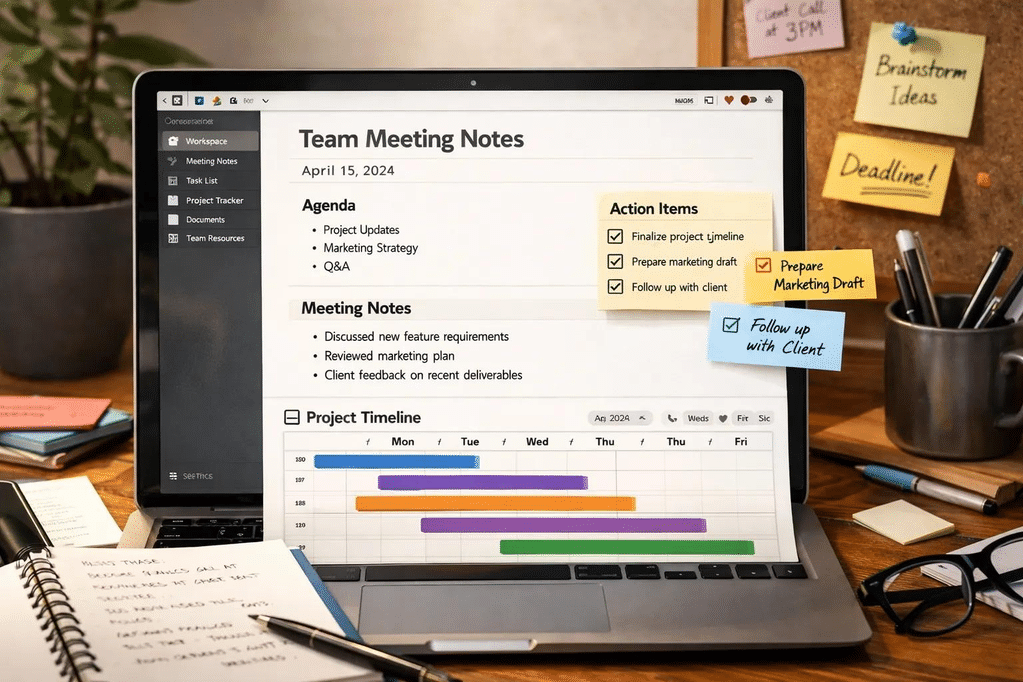
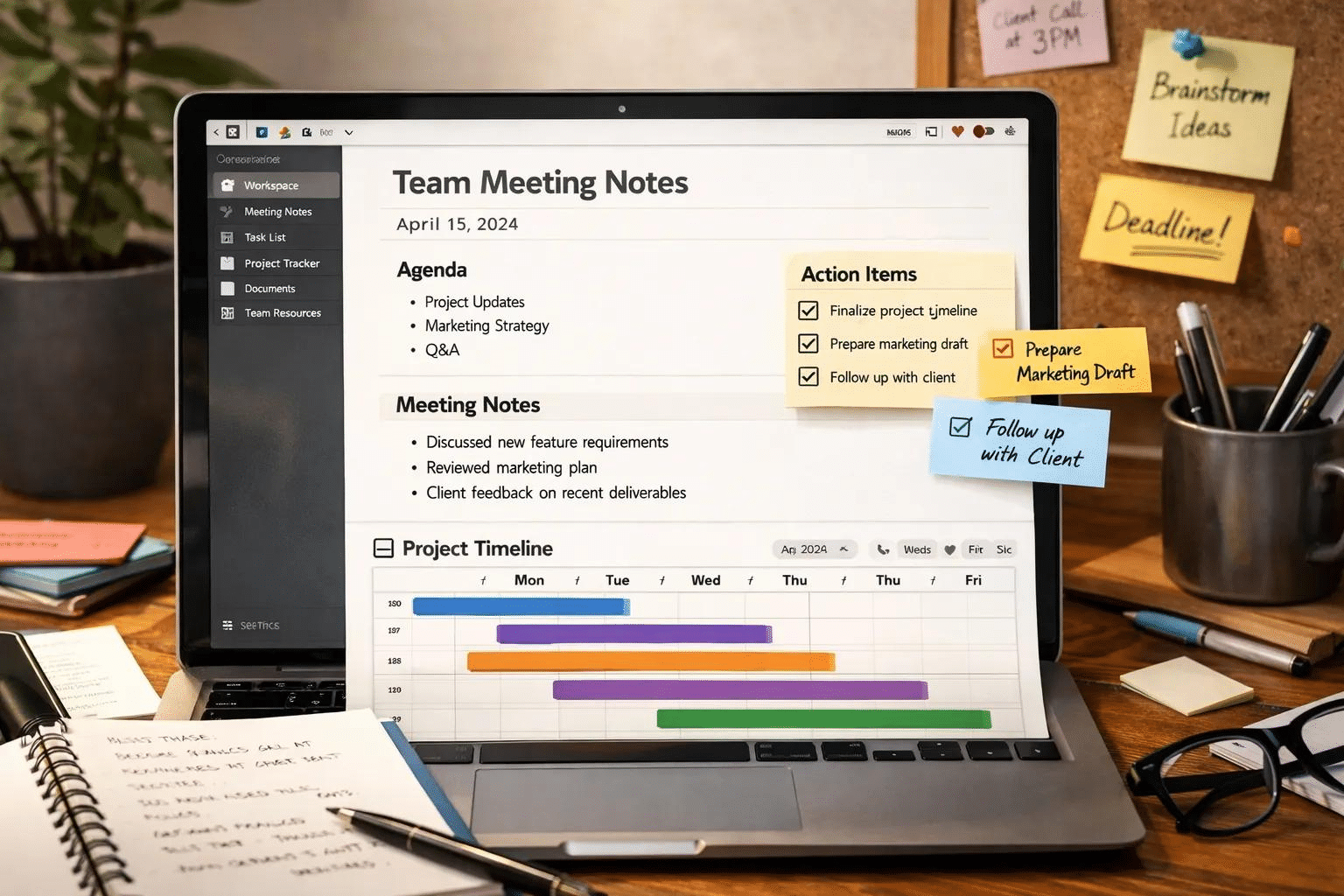
Image: An AI-powered workflow for converting meeting notes into actionable tasks. 图片说明:利用 AI 将会议记录转换为可执行任务的工作流程。
1. What Are Meeting Action Items?
Meeting action items are specific tasks that need to be completed after a meeting. A useful action item should clearly explain what needs to be done, who is responsible, and when the task should be completed. 会议行动项是指会议结束后需要完成的具体任务。一条有效的行动项应当明确说明需要做什么、由谁负责,以及何时完成。
For example, a meeting note might say, “We need to improve the website’s SEO.” This statement describes a goal, but it does not provide a clear next step. For instance, a better action item would be: “Alex will update the homepage title and meta description by Friday.” 例如,会议记录中可能写着“我们需要改善网站的 SEO”。这句话只描述了一个目标,并没有明确下一步行动。更好的写法是:“Alex 将在周五之前更新网站首页标题和 Meta Description(元描述)。”
A well-structured action item usually includes these elements:
- Task: What needs to be done? 任务:具体需要完成什么?
- Owner: Who is responsible? 负责人:由谁执行?
- Deadline: When is it due? 截止日期:什么时候完成?
- Priority: How important is it? 优先级:任务有多重要?
- Status: Has the task started or been completed? 状态:任务是否已经开始或完成?
When these details are clearly defined, teams can reduce confusion, improve accountability, and avoid repeatedly discussing the same unfinished work. 当这些信息清晰明确时,团队可以减少沟通误差、提高责任意识,并避免反复讨论尚未完成的工作。
2. Why Use AI to Turn Meeting Notes into Tasks?
Manually organizing meeting notes takes time, especially when discussions are long or involve multiple projects. AI tools can help extract relevant information and present it in a more organized format. 手动整理会议记录需要花费不少时间,尤其是在会议内容较长或涉及多个项目时。AI 工具可以帮助你提取关键信息,并以更加清晰的形式呈现结果。
Here are four practical benefits of using AI for meeting management. 以下是使用 AI 管理会议记录的四个实际优势。
Save Time and Reduce Manual Work
AI can summarize lengthy discussions and highlight important decisions without requiring you to reread every sentence. Instead of spending half an hour organizing notes, you can use an AI assistant to create a first draft in seconds. AI 可以快速总结冗长的讨论内容并突出重要决策,不必逐句重新阅读会议记录。与其花费半小时手动整理,不如先让 AI 在几秒钟内生成初稿。
Identify Missing Action Items
Some tasks are mentioned casually during meetings and may be overlooked later. AI can help identify statements that suggest follow-up work, such as requests, commitments, unresolved questions, and agreed next steps. 一些任务可能只在会议中被简单提及,之后很容易被忽略。AI 可以帮助识别需要后续跟进的内容,例如工作请求、明确承诺、尚未解决的问题以及已经商定的下一步行动。
Improve Team Accountability
When tasks have clear owners and deadlines, team members can better understand their responsibilities. AI can organize these details into a structured task list, making it easier to transfer information into a project management tool. 当任务具有明确的负责人和截止日期时,团队成员就能更清楚地了解自己的职责。AI 可以将这些信息整理成结构化任务清单,方便进一步导入项目管理工具。
Create More Consistent Meeting Records
A consistent format makes meeting minutes easier to review, share, and search later. With a reusable AI prompt, you can generate meeting summaries and action item lists using the same structure every time. 统一的格式能够让会议纪要更容易阅读、分享和检索。通过可重复使用的 AI 提示词,你可以按照固定结构生成会议摘要和行动项清单。
3. Step-by-Step: How to Turn Meeting Notes into Action Items with AI
You do not need an expensive enterprise platform to get started. A simple workflow using your existing meeting notes and an AI assistant is often enough. 你不需要一开始就购买昂贵的企业级平台。只需准备现有的会议记录和一个 AI 助手,通常就能建立一套简单实用的工作流程。
Step 1: Collect and Organize Your Meeting Notes
Start by collecting notes from your meeting. These may come from a handwritten notebook, Google Docs, Microsoft Word, a project management platform, or a transcript generated by a meeting recording tool. 首先,收集会议中产生的记录。这些内容可以来自手写笔记、Google Docs、Microsoft Word、项目管理平台,或会议录音工具生成的文字转录稿。
If you use Zoom, Google Meet, or Microsoft Teams, check which transcription or meeting summary features are available in your account. Features and availability may vary by subscription, administrator settings, and region. 如果你使用 Zoom、Google Meet 或 Microsoft Teams,可以先检查当前账户是否支持转录或会议摘要功能。具体功能可能因订阅方案、管理员设置和所在地区而有所不同。
Before uploading notes to an AI service, remove unnecessary personal information, confidential client details, passwords, and other sensitive data. Make sure you have permission to share meeting transcripts or recordings with the service you choose. 在将会议记录上传到 AI 服务之前,请删除不必要的个人信息、客户机密、密码和其他敏感数据,并确认自己有权将会议转录内容或录音提供给所选服务。
Step 2: Choose an AI Meeting Assistant
Next, choose a tool that matches your workflow. You can use a general-purpose AI chatbot for text-based notes or a specialized meeting assistant if you need automated transcription and integrations. 接下来,选择适合自己工作流程的工具。如果你主要处理文字形式的会议记录,可以使用通用 AI 聊天工具;如果你需要自动转录和应用集成,则可以考虑专门的 AI 会议助手。
Popular options include ChatGPT, Notion AI, Microsoft Copilot, and Otter.ai. Each serves a slightly different purpose, so the best option depends on your existing apps and collaboration needs. 常见选择包括 ChatGPT、Notion AI、Microsoft Copilot 和 Otter.ai。它们各有侧重点,最合适的工具取决于你正在使用的软件以及团队协作需求。
Step 3: Use AI to Extract Action Items
Paste your meeting notes into your chosen AI tool and ask it to identify tasks, owners, deadlines, and unresolved questions. Tell the AI not to invent information when the notes do not contain a clear answer. 将会议记录粘贴到选定的 AI 工具中,然后要求它提取任务、负责人、截止日期以及尚未解决的问题。特别要提醒 AI:如果原始记录没有提供明确答案,就不要自行编造信息。
For example, a discussion might include a new marketing campaign, a website update, and a follow-up meeting. AI can organize these items into a structured table rather than leaving them buried in several paragraphs of notes. 例如,一场会议可能讨论了新的营销活动、网站更新和后续会议。AI 可以将这些内容整理成结构化表格,而不是让任务继续散落在几段会议记录中。
Step 4: Review and Verify the Results
AI-generated action items should be treated as a draft, not as an automatically approved record. Review the output and confirm that each task reflects what participants actually agreed to do. AI 生成的行动项应当被视为初稿,而不是自动获得批准的正式记录。你需要检查每一项任务,确认它确实反映了与会者达成的共识。
Pay special attention to names, dates, responsibilities, and statements that express uncertainty. If no owner or deadline was explicitly agreed upon, label it as “Not specified” or “Needs confirmation.” 特别要检查人员姓名、日期、职责和存在不确定性的表述。如果会议没有明确指定负责人或截止日期,应标记为“未指定”或“需要确认”,而不是自行补充。
Step 5: Move Tasks into a Project Management Tool
Once you have reviewed the list, transfer the action items into a task management system such as Trello, Asana, ClickUp, Notion, or Microsoft Planner. This gives each task a place where progress can be monitored. 完成检查后,将行动项转移到 Trello、Asana、ClickUp、Notion 或 Microsoft Planner 等任务管理系统中,让每一项任务都有明确的跟踪位置。
A practical task record should include the task title, assigned owner, due date, priority, and current status. For recurring meetings, use the same template every time so that unfinished tasks can be carried forward and reviewed at the next meeting. 一条实用的任务记录应包含任务名称、负责人、截止日期、优先级和当前状态。对于定期会议,建议每次使用相同的模板,这样未完成的任务就能在下一次会议中继续跟进。
4. The Best AI Prompt for Turning Meeting Notes into Action Items
One of the easiest ways to improve AI-generated meeting summaries is to use a clear, detailed prompt. Instead of simply asking AI to “summarize these notes,” specify the exact output you need. 提升 AI 会议摘要质量的一个简单方法,就是使用清晰、具体的提示词。与其只要求 AI“总结这些会议记录”,不如明确说明你希望获得什么样的结果。
You can copy the following prompt directly into ChatGPT or another compatible AI assistant. 你可以直接将下面的提示词复制到 ChatGPT 或其他兼容的 AI 助手中使用。
Copy-and-Paste AI Prompt
Act as a professional meeting assistant and project coordinator. Analyze the meeting notes below and turn them into a clear, actionable task list.
Please provide:
- A concise meeting summary.
- Key decisions made during the meeting.
- An action item table with the following columns: Task, Owner, Deadline, Priority, and Status.
- Unresolved questions and items requiring follow-up.
- Risks, blockers, and dependencies mentioned in the notes.
Important rules:
- Do not invent names, deadlines, decisions, or commitments.
- If the owner or deadline is missing, write “Not specified.”
- Distinguish confirmed decisions from suggestions or tentative ideas.
- Keep each action item specific, measurable, and easy to understand.
- If the notes are ambiguous, flag the uncertainty instead of guessing.
- Use clear, professional English.
Meeting notes:
[Paste your meeting notes here]
中文说明: 请 AI 扮演专业会议助理和项目协调员,将会议记录整理成简明摘要、关键决策、行动项表格、待解决问题以及潜在风险。要求 AI 不得编造姓名、日期或承诺,并将未明确的信息标记为“未指定”。
This prompt works well for project meetings, marketing discussions, team check-ins, client calls, and weekly planning sessions. You can also customize it to include department-specific priorities or your team’s preferred task management format. 这个提示词适用于项目会议、营销讨论、团队例会、客户沟通和每周计划会议。你也可以根据部门的工作重点或团队习惯的任务管理格式进行调整。
5. Example: Turning Raw Meeting Notes into Action Items
Let’s look at a practical example. Suppose your team holds a meeting to discuss improving a website’s traffic and launching a new content campaign. 下面来看一个实际案例。假设你的团队正在开会讨论如何提升网站流量,以及如何启动一项新的内容营销活动。
Original meeting notes / 原始会议记录
- Alex suggested updating the homepage SEO title.
- Sarah agreed to prepare three new blog posts.
- The team discussed reviewing website analytics, but no owner was assigned.
- A follow-up meeting was mentioned, but the date was not confirmed.
Alex 建议更新网站首页的 SEO 标题;Sarah 同意准备三篇新的博客文章;团队讨论了检查网站分析数据,但没有指定负责人;会议提到了后续跟进,但尚未确认日期。
AI-generated action items / AI 生成的行动项
| Action Item 任务 | Owner 负责人 | Deadline 截止日期 | Status 状态 |
|---|---|---|---|
| Update the homepage SEO title 更新首页 SEO 标题 | Alex | Not specified 未指定 | Pending 待处理 |
| Prepare three blog posts 准备三篇博客文章 | Sarah | Not specified 未指定 | Pending 待处理 |
| Assign an owner to review website analytics 指定网站数据分析负责人 | Not specified 未指定 | Not specified 未指定 | Needs confirmation 待确认 |
| Confirm the next meeting date 确认下一次会议日期 | Not specified 未指定 | Not specified 未指定 | Needs confirmation 待确认 |
Notice that AI does not need to invent missing deadlines to make the notes useful. The goal is to clarify what is known, highlight what is missing, and help the team decide what to do next. 请注意,AI 不需要编造缺失的截止日期,也能让会议记录更有价值。真正的目标是明确已有信息、突出缺失内容,并帮助团队确定接下来的行动。
6. Best AI Tools for Meeting Notes and Action Items
Different AI meeting tools are designed for different workflows. Some are better for summarizing text, while others focus on transcription, collaboration, or integration with existing business applications. 不同的 AI 会议工具适用于不同的工作流程。有些更擅长总结文字,有些则侧重会议转录、团队协作,或与现有办公应用集成。
ChatGPT
ChatGPT is a flexible option for turning pasted meeting notes or transcripts into summaries, task lists, and follow-up emails. You can customize prompts to match your preferred format and reuse them across different projects. ChatGPT 是一种灵活的选择,可以将粘贴的会议记录或转录稿整理成摘要、任务清单和后续跟进邮件。你可以根据自己的格式需求自定义提示词,并在不同项目中重复使用。
Best for: People who want a flexible AI assistant without adopting a dedicated meeting platform. 适合人群:希望使用灵活的 AI 助手,但不想额外部署专门会议平台的人。
Notion AI
Notion AI can support workflows built around notes, documents, project pages, and team knowledge. If your team already manages meeting notes and tasks in Notion, keeping the information in the same workspace can simplify collaboration. Notion AI 可以支持围绕笔记、文档、项目页面和团队知识库建立的工作流程。如果你的团队已经使用 Notion 管理会议记录和任务,将信息保留在同一个工作空间中有助于简化协作。
Best for: Teams that already use Notion for documentation and project management. 适合人群:已经使用 Notion 管理文档和项目的团队。
Microsoft Copilot
Microsoft Copilot may help summarize meetings and organize follow-up information within supported Microsoft 365 workflows. Its available meeting features depend on your subscription, permissions, and organization settings. Microsoft Copilot 可以在受支持的 Microsoft 365 工作流程中帮助总结会议并整理后续事项。具体会议功能取决于订阅方案、权限和组织设置。
Best for: Organizations that rely on Microsoft Teams and other Microsoft 365 applications. 适合人群:主要使用 Microsoft Teams 和其他 Microsoft 365 应用的组织。
Otter.ai
Otter.ai focuses on meeting transcription and AI-assisted meeting summaries. It may be useful when you need searchable transcripts and a way to review discussions after a call. Otter.ai 主要提供会议转录和 AI 辅助会议摘要。如果你需要可搜索的会议文字记录,并希望在通话结束后回顾讨论内容,这类工具可能很有帮助。
Best for: Users who frequently attend online meetings and need transcription support. 适合人群:经常参加线上会议并需要转录功能的用户。
Before choosing a tool, check its current pricing, supported languages, integration options, privacy settings, and free-plan limitations. Product features and pricing can change, so verify the latest details on each provider’s official website. 在选择工具之前,请检查最新价格、支持的语言、集成选项、隐私设置和免费方案限制。产品功能和价格可能发生变化,建议以各服务商的官方网站信息为准。
7. Advanced Workflow: Automate Meeting Follow-Ups with AI
If you manage multiple meetings every week, you can take the workflow one step further by connecting meeting summaries with task management and notification tools. 如果你每周需要管理多场会议,还可以进一步将会议摘要与任务管理、通知工具连接起来,建立更自动化的工作流程。
A basic workflow could look like this:
- Record or transcribe a meeting using an approved tool. 使用获准的工具记录或转录会议。
- Send the transcript to an AI assistant for summarization. 将转录稿交给 AI 助手进行总结。
- Extract action items into a structured format. 将行动项提取为结构化格式。
- Review uncertain tasks and confirm missing owners or deadlines. 检查不确定的任务,并确认缺失的负责人或截止日期。
- Create approved tasks in your project management platform. 在项目管理平台中创建经过确认的任务。
- Send reminders and review progress before the next meeting. 发送提醒,并在下一次会议之前检查任务进度。
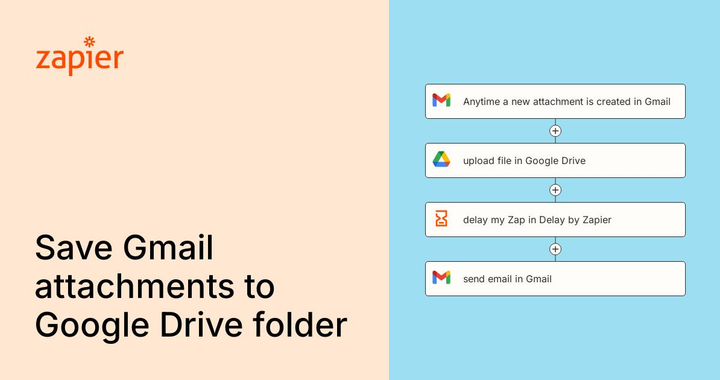
Automation platforms such as Zapier or Make may help connect compatible applications. However, the exact workflow depends on available integrations, account plans, and permissions. AI-generated tasks should be reviewed before important assignments, external messages, or sensitive business information are automatically processed. Zapier 或 Make 等自动化平台可以帮助连接兼容的应用。不过,具体流程取决于可用集成、账户方案和权限。对于重要任务分配、对外消息或敏感商业信息,应在自动处理之前检查 AI 生成的结果。
8. Common Mistakes to Avoid When Using AI for Meeting Notes
AI can make meeting management easier, but it cannot replace human judgment. A few simple practices can prevent common mistakes. AI 可以简化会议管理,但无法完全取代人的判断。遵循几个简单原则,就能避免常见问题。
Mistake 1: Accepting every AI-generated task without checking it. AI may misunderstand context or turn a suggestion into a confirmed commitment. Always verify important details against the original notes. 错误一:不检查就接受 AI 生成的所有任务。 AI 可能误解上下文,或将建议误认为已经确认的承诺。请始终根据原始记录核实重要信息。
Mistake 2: Leaving tasks without clear ownership. A task assigned to “the team” may not have a clear owner. If responsibility is unclear, flag the task for confirmation instead of assigning it arbitrarily. 错误二:任务没有明确负责人。 如果任务只分配给“团队”,可能仍然缺乏具体执行者。责任不明确时,应标记为待确认,而不是随意指定人员。
Mistake 3: Treating meeting summaries as a replacement for follow-up. A polished summary does not guarantee that tasks will be completed. Track progress in a task management system and review overdue items regularly. 错误三:认为生成会议摘要就等于完成跟进。 即使摘要写得很好,也不代表任务一定会完成。请使用任务管理系统跟踪进度,并定期检查逾期事项。
Mistake 4: Ignoring privacy and consent. Meeting transcripts can contain confidential information. Check organizational policies, participant consent requirements, and the AI provider’s data-handling practices before uploading recordings or notes. 错误四:忽视隐私和授权。 会议转录稿可能包含机密信息。在上传录音或笔记之前,应检查组织规定、与会者授权要求,以及 AI 服务商的数据处理政策。
9. Frequently Asked Questions (FAQ)
Can ChatGPT turn meeting notes into action items?
Yes. You can paste meeting notes into ChatGPT and ask it to extract tasks, owners, deadlines, key decisions, and unresolved questions. Review the output carefully because ChatGPT may not know details that were omitted from the original notes.
可以。你可以将会议记录粘贴到 ChatGPT 中,并要求它提取任务、负责人、截止日期、关键决策和待解决问题。请仔细检查结果,因为原始记录中缺失的信息并不会自动变得准确。
What is the best AI tool for meeting action items?
The best option depends on your workflow. ChatGPT is flexible for text-based notes, Notion AI can fit existing Notion workspaces, Microsoft Copilot may suit Microsoft 365 users, and Otter.ai focuses on transcription and meeting summaries.
最合适的工具取决于你的工作流程。ChatGPT 适合灵活处理文字记录,Notion AI 适合现有的 Notion 工作空间,Microsoft Copilot 适合部分 Microsoft 365 工作流程,而 Otter.ai 更侧重会议转录和摘要。
Can AI automatically assign tasks after a meeting?
AI can suggest task owners when the meeting notes clearly identify responsibilities. Fully automated assignment usually requires additional integrations, appropriate permissions, and a reliable way to validate the extracted information. Missing or ambiguous ownership should be confirmed by a human.
如果会议记录明确说明了职责,AI 可以建议任务负责人。要实现完全自动化的任务分配,通常还需要额外集成、适当权限,以及可靠的信息验证机制。对于缺失或模糊的负责人信息,应由人工确认。
Is there a free way to convert meeting notes into action items?
You can start with a free AI tool or an existing meeting notes app, provided its current plan supports the features you need. Paste your notes into the AI tool, use a structured prompt, and transfer the verified results into a spreadsheet or task manager.
可以。只要当前免费方案支持所需功能,你就可以使用免费的 AI 工具或现有会议记录应用。将笔记粘贴到 AI 工具中,使用结构化提示词,再把经过核实的结果转移到电子表格或任务管理工具即可。
How do I make AI meeting summaries more accurate?
Provide complete notes, identify speakers when appropriate, specify the desired output format, and instruct the AI not to invent missing details. Review names, deadlines, decisions, and task ownership before sharing the final summary.
为了提高 AI 会议摘要的准确性,应尽量提供完整记录,在适当情况下标明发言人,明确要求的输出格式,并要求 AI 不得编造缺失信息。在分享最终摘要之前,请核实姓名、截止日期、决策内容和任务负责人。
Conclusion: Turn Every Meeting into Meaningful Progress
Turning meeting notes into action items with AI is a practical way to improve productivity without adding unnecessary complexity to your workflow. By combining clear prompts, human review, and a reliable task management system, you can transform meeting discussions into specific responsibilities and measurable next steps. 利用 AI 将会议记录转化为行动项,是一种无需增加太多工作复杂度就能提升效率的实用方法。通过结合清晰的提示词、人工检查和可靠的任务管理系统,你可以将会议讨论转化为明确的职责和可衡量的下一步行动。
Start with one meeting, test the workflow, and refine your prompt as you learn what works best for your team. You do not need to automate everything on day one. The most important thing is to make sure that decisions lead to action and that important tasks do not get lost after the meeting ends. 不妨先从一场会议开始,测试整个流程,并根据团队的实际需求不断调整提示词。你不需要在第一天就实现所有环节的自动化。最重要的是让会议决策真正转化为行动,确保重要任务不会随着会议结束而被遗忘。
Ready to improve your next meeting? Copy the AI prompt from this guide, try it with your latest meeting notes, and see how much easier follow-up can become.
准备好提升下一次会议的效率了吗? 复制本文中的 AI 提示词,尝试处理最近的一份会议记录,看看会议后的任务跟进能变得多么简单。
Related Keywords / 相关关键词
AI meeting notes · AI meeting assistant · meeting action items · ChatGPT meeting summary · AI meeting minutes generator · meeting productivity · task management automation · meeting follow-up · artificial intelligence tools
Suggested WordPress Tags / 建议标签
AI Tools, Productivity, ChatGPT, Meeting Notes, Task Management, AI Automation
Suggested Featured Image Alt Text / 特色图片替代文本
AI meeting notes converted into action items with task owners and deadlines
Suggested Internal Links / 建议内链
- How to Summarize a PDF with AI: A Step-by-Step Guide
- How to Build a Simple WordPress Blog from Scratch
- Best AI Productivity Tools for Everyday Work
Publish these related articles only when the corresponding pages are available, and link to them naturally from relevant paragraphs.