如何从零开始搭建一个简单的 WordPress 博客
SEO Ready
English + 中文
10 个步骤
建议文章路径:/how-to-build-a-wordpress-blog/

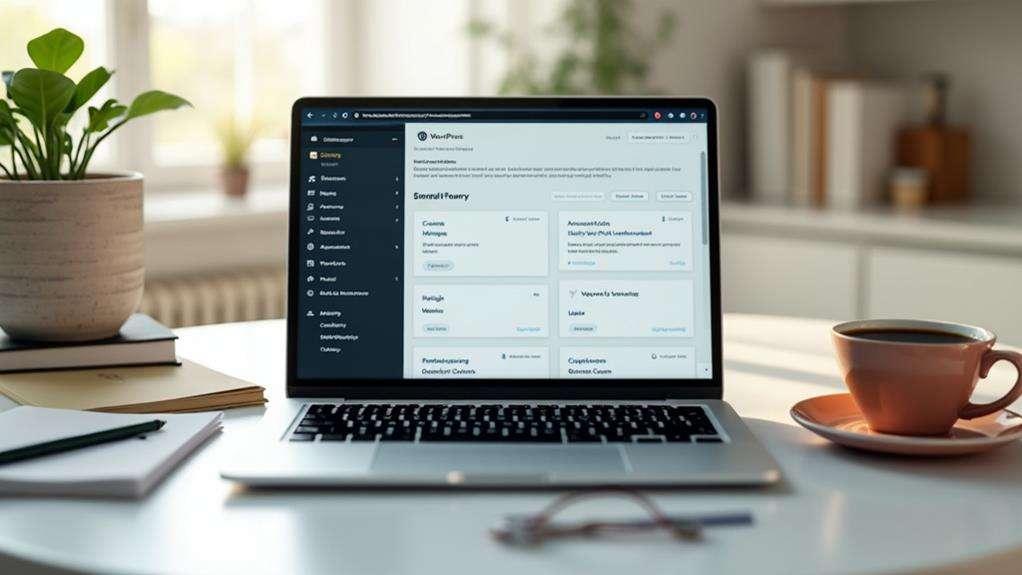
Featured image / 文章特色图片:WordPress 建站工作环境
How to Build a Simple WordPress Blog from Scratch
Building a blog is easier than many beginners expect. With WordPress, a domain name, and a suitable hosting plan, you can create a website to share your knowledge, publish tutorials, or review useful software without learning how to code. 对于新手来说,搭建博客并没有想象中那么复杂。只要准备好域名、主机和 WordPress,你就可以创建一个分享知识、发布教程或介绍实用软件的网站,而不需要掌握编程技术。
In this guide, we’ll walk through the process of building a simple WordPress blog, from the initial setup to publishing your first article. You’ll also learn how to choose a theme, install essential plugins, and make your website easier to find on Google. 本文将带你从零开始搭建一个简单的 WordPress 博客,涵盖基础设置、主题选择、必要插件安装、文章发布和 Google SEO 优化,让你能够按照步骤完成网站建设。
1. Choose a Domain Name and Web Hosting / 选择域名和网站主机

Before you start, you’ll need a domain name and a web hosting plan. Your domain is your website’s address, such as example.com, while hosting stores your website files and makes them available to visitors. 在开始之前,你需要准备一个域名和网站主机。域名相当于网站的网络地址,例如 example.com;主机则负责存储网站文件,让访客能够通过互联网访问你的内容。
Choose a domain that’s easy to spell, remember, and relevant to your topic. When comparing hosting plans, look for WordPress support, a free SSL certificate, reliable performance, and a straightforward backup option. 域名尽量简短、易记,并且与你的网站主题相关。选择主机时,应优先考虑 WordPress 支持、免费 SSL 证书、稳定的运行表现和方便使用的备份功能。
You don’t need an expensive hosting package to launch a small blog. Start with a basic plan that meets your needs, and upgrade when your website grows. 如果只是运营一个小型博客,通常不必一开始就购买昂贵的主机套餐。可以先选择满足当前需求的基础方案,等访问量和业务增长后再考虑升级。
Tip / 小贴士: If you’ve already purchased a domain and installed WordPress, skip this step and move on to customizing your website. 如果你已经购买域名并安装好 WordPress,可以直接进入下一步,不必重复操作。
2. Install WordPress / 安装 WordPress

WordPress is a content management system (CMS) that lets you create pages, publish articles, and manage your website through a dashboard. Most hosting providers offer a one-click installer, so you can get started without manually configuring a server. WordPress 是一款内容管理系统(CMS),可以让你通过后台创建页面、发布文章和管理网站。大多数主机服务商都提供一键安装工具,因此通常不需要手动配置服务器。
To install WordPress, log in to your hosting account, open the WordPress installer, select your domain, and follow the instructions. Set a strong administrator password and make sure your SSL certificate is working before sharing your website publicly. 安装时,先登录主机后台,找到 WordPress 安装工具,选择对应域名,然后按照提示完成设置。请设置强度足够的管理员密码,并在正式公开网站之前确认 SSL 证书正常工作。
Once installation is complete, visit https://yourdomain.com/wp-admin to open your dashboard. Replace yourdomain.com with your actual domain. This is where you’ll manage posts, pages, themes, plugins, and other website settings. 安装完成后,访问 https://你的域名/wp-admin 即可进入 WordPress 管理后台。之后,你可以在这里管理文章、页面、主题、插件和其他网站设置。
3. Choose a Clean WordPress Theme / 选择合适的 WordPress 主题


9
Your WordPress theme determines how your blog looks and feels. For a new website, a lightweight theme with clear navigation and good mobile support is usually a better choice than a design packed with animations and extra features. WordPress 主题决定了博客的整体外观和布局。对于新网站来说,轻量化、导航清晰且适配手机的主题,通常比包含大量动画和复杂功能的设计更实用。
Themes such as Astra, GeneratePress, and Kadence offer options worth exploring. You can start with a free version and customize the colors, typography, logo, and layout as your website develops. Astra、GeneratePress 和 Kadence 都是值得了解的主题选择。你可以先使用免费版本,随着网站内容逐渐增加,再调整颜色、字体、Logo 和页面布局。
To install a theme, go to Appearance → Themes → Add New Theme in your WordPress dashboard. Search for the theme you want, click Install, and then Activate. After activation, preview your homepage on both desktop and mobile devices. 在 WordPress 后台进入“外观 → 主题 → 添加新主题”,搜索需要的主题,点击“安装”并启用。完成后,分别在电脑和手机上预览首页,检查菜单、文章布局和文字是否正常显示。
4. Install the Essential WordPress Plugins / 安装必要的 WordPress 插件

Plugins extend WordPress with features such as search engine optimization, security, backups, and contact forms. You don’t need dozens of plugins to run a simple blog. Start with the features your website actually needs, then add more only when there’s a clear reason. 插件可以为 WordPress 增加 SEO、安全防护、备份和联系表单等功能。不过,运营一个简单的博客并不需要安装几十个插件。建议先安装真正需要的工具,再根据实际情况逐步扩展。
Here are a few options to consider: Rank Math or Yoast SEO for SEO settings, Wordfence Security for website protection, UpdraftPlus for backups, and WPForms Lite for contact forms. 你可以考虑使用 Rank Math 或 Yoast SEO 管理 SEO 设置,使用 Wordfence Security 加强网站防护,使用 UpdraftPlus 进行备份,并通过 WPForms Lite 创建联系表单。
Choose one plugin for each function whenever possible. Your hosting provider may already include backups, caching, or security features, so check what’s available before installing additional tools. 尽量避免为同一个功能安装多个插件。部分主机已经提供备份、缓存或安全功能,因此在安装额外插件之前,最好先检查主机套餐包含哪些服务。
5. Create the Important Pages / 创建网站的必要页面

Before publishing your first article, create a few pages that help visitors understand your website. An About page explains what your blog covers, a Contact page gives readers a way to reach you, and a Privacy Policy explains how your website handles personal information. 在发布第一篇文章之前,建议先创建几个基础页面,帮助访客了解你的网站。“关于我们”页面介绍网站主题,“联系”页面提供沟通渠道,“隐私政策”页面则说明网站如何处理个人信息。
If you plan to use Google AdSense, analytics tools, or affiliate links, review the relevant disclosure, privacy, and consent requirements. Make sure your policies accurately reflect the tools and services you actually use rather than copying a generic template without checking it. 如果计划使用 Google AdSense、网站分析工具或联盟营销链接,还应检查相应的隐私披露、用户同意和广告相关要求。政策内容应与网站实际使用的工具和服务相符,不要未经核对就直接复制通用模板。
To create a page, open Pages → Add New Page, enter your content, preview the result, and click Publish. 在 WordPress 后台进入“页面 → 添加新页面”,输入内容、预览页面效果,然后点击“发布”即可。
6. Configure Your Basic WordPress Settings / 配置 WordPress 基本设置
A few small adjustments can make your blog easier to use and maintain. Start by opening Settings → General to check your site title, tagline, language, and time zone. 一些简单的设置就能让博客更容易管理。首先进入“设置 → 常规”,检查网站标题、副标题、语言和时区,确保这些信息符合网站的实际情况。
Next, visit Settings → Permalinks and consider selecting Post name. This creates readable URLs, such as /wordpress-blog-setup/, instead of less descriptive addresses containing only a post ID. 接下来,进入“设置 → 固定链接”,通常可以选择“文章名”模式。这样生成的网址会更加清晰,例如 /wordpress-blog-setup/,而不是只包含文章编号的链接。
If your website already has published articles or indexed URLs, avoid changing the permalink structure without a redirect plan. Existing links may stop working if their addresses change. 如果网站已经发布文章或被搜索引擎收录,不要在没有重定向方案的情况下随意更改固定链接结构,否则旧网址可能无法正常访问。
You can also decide whether your homepage should display your latest posts or a custom landing page. For a traditional blog, showing recent articles is a simple and practical starting point. 你还可以设置首页显示最新文章,或者使用独立设计的首页。对于传统博客来说,直接展示最新文章是一种简单实用的起步方式。
7. Write and Publish Your First Blog Post / 撰写并发布第一篇文章

Once your website is ready, focus on publishing useful content. Start with a topic that answers a real question rather than writing an article simply to fill your homepage. 网站准备好之后,就可以开始创作内容了。建议从读者真正关心的问题入手,而不是为了让首页看起来更丰富就随意发布文章。
For example, a technology blog could cover topics such as how to summarize a PDF with AI, how to choose a free writing tool, or how to fix a common WordPress problem. These topics work well when the article includes clear instructions, practical examples, and solutions to common difficulties. 例如,科技博客可以介绍如何使用 AI 总结 PDF、如何选择免费的写作工具,或者如何解决常见的 WordPress 问题。如果文章包含明确的操作步骤、实际示例和问题解决方法,就能为读者提供更具体的帮助。
A useful blog post usually begins with a short introduction, followed by clearly organized sections. Add screenshots or illustrations where they genuinely help explain a process, and finish with a practical conclusion. 一篇实用的博客文章通常以简短的引言开头,然后通过清晰的小标题组织正文。在确实有助于理解操作过程的地方加入截图或插图,最后给出简洁、可执行的总结。
To publish your article, open Posts → Add New Post. Enter your title and content, choose a category, add a featured image, and preview the page before publishing. WordPress’s block editor lets you format text, insert images, create lists, and add links without coding. 要发布文章,进入“文章 → 写文章”,填写标题和正文,选择分类,添加特色图片,并在发布前预览页面。WordPress 区块编辑器支持文字排版、插图、列表和链接等功能,无需编写代码。
8. Optimize Your Blog for Search Engines / 优化博客的搜索引擎表现
SEO helps search engines understand your pages and helps people discover your content through relevant searches. Good SEO starts with useful information, clear organization, and a website that visitors can navigate comfortably. SEO 可以帮助搜索引擎理解页面内容,也能让用户通过相关搜索找到你的文章。做好 SEO 的基础,是提供有用的信息、清晰的内容结构,以及方便浏览的网站。
Start by choosing a primary search topic for each article. Include it naturally in the title, introduction, URL, and relevant headings when appropriate. Avoid repeating the same phrase in every paragraph, as keyword stuffing makes content less readable. 每篇文章可以围绕一个主要搜索主题展开,并在合适的位置自然使用相关关键词,例如标题、引言、网址和小标题。不要在每个段落里反复重复同一个词组,因为关键词堆砌会降低阅读体验。
Write a useful meta description, add descriptive alternative text to meaningful images, and link to related articles on your website. Internal links help readers find more information and make the relationship between your pages easier to understand. 编写有价值的 Meta Description,为具有信息价值的图片添加准确的替代文本,并链接到网站内相关的文章。内部链接能够帮助读者发现更多内容,也有助于搜索引擎理解页面之间的关系。
You should also set up Google Search Console to monitor search performance and identify potential indexing issues. Submit your XML sitemap and review the reports periodically. Keep in mind that submitting a sitemap does not guarantee that every page will be indexed. 你还可以配置 Google Search Console,用于查看搜索表现和发现潜在的索引问题。提交 XML Sitemap 后,定期检查相关报告即可。需要注意的是,提交站点地图并不意味着所有页面都会被搜索引擎收录。
9. Improve Website Speed and Mobile Experience / 提升网站速度和移动端体验
A blog should load smoothly and remain easy to read on different screen sizes. Large images, unnecessary plugins, and poorly configured scripts can slow a website down, so it’s worth checking performance before publishing regularly. 博客应当加载顺畅,并且能够在不同屏幕尺寸下正常阅读。图片过大、不必要的插件以及配置不当的脚本都可能拖慢网站,因此建议在持续发布内容之前检查网站性能。
Compress images before uploading them, use a lightweight theme, and enable caching where appropriate. Tools such as Google PageSpeed Insights can help identify performance problems and suggest improvements. 上传图片之前应进行压缩,选择轻量化主题,并根据主机环境合理启用缓存。Google PageSpeed Insights 等工具可以帮助发现性能问题,并提供改进建议。
Don’t install multiple optimization plugins that perform the same tasks. If your hosting provider already handles caching or image optimization, additional plugins may offer little benefit and could introduce compatibility issues. 不要同时安装多个执行相同优化任务的插件。如果主机已经提供缓存或图片优化服务,额外安装插件可能没有明显收益,甚至可能造成兼容性问题。
10. Keep Publishing and Improving Your Blog / 持续更新并改进博客
Launching a blog is only the beginning. As you publish more articles, pay attention to which topics attract search impressions, clicks, and meaningful engagement. Use that information to improve existing content and decide what to write next. 博客上线只是开始。随着文章数量增加,你可以关注哪些主题获得了搜索展示、点击和实际阅读,再利用这些数据改进旧文章,并规划接下来的选题。
Choose a publishing schedule you can realistically maintain. One or two helpful articles each week may be a better starting point than publishing every day without enough time for research and editing. 选择一个能够长期坚持的更新频率。例如,每周发布一到两篇有实际价值的文章,可能比每天匆忙更新更适合新手,因为你仍然需要时间进行研究、编辑和事实核查。
If you use AI writing tools, treat their output as a draft rather than a finished article. Check factual claims, test software instructions, add original examples, and remove repetitive explanations before publishing. 如果你使用 AI 写作工具,应当把生成内容当作初稿,而不是直接发布的成品。发布之前,需要核实事实、测试软件操作步骤、补充原创示例,并删除重复或空泛的说明。
Readers return to websites that solve their problems. Focus on making each article accurate, easy to follow, and genuinely useful instead of chasing a particular word count or publishing as many posts as possible. 真正能够帮助读者解决问题的网站,更容易建立长期信任。与其追求固定字数或一味增加文章数量,不如把重点放在内容的准确性、可读性和实用价值上。
Frequently Asked Questions
Is WordPress free to use?
Yes. WordPress is free, open-source software. However, you may need to pay for a domain name, hosting, premium themes, or optional services. 是的,WordPress 本身是免费的开源软件,但域名、网站主机、高级主题和部分附加服务可能需要付费。
Can I build a WordPress blog without coding?
Yes. You can install WordPress, customize a theme, create pages, and publish articles through the dashboard and block editor without writing code. 可以。通过 WordPress 后台和区块编辑器,你就能安装主题、创建页面并发布文章,无需编写代码。
How long does it take to build a simple WordPress blog?
If your domain and hosting are ready, you may be able to set up a basic blog in a few hours. Content creation, design adjustments, and SEO configuration can take additional time. 如果域名和主机已经准备好,通常可以在几个小时内搭建基础博客。不过,内容撰写、页面调整和 SEO 设置可能需要额外时间。
How do I get my WordPress blog indexed by Google?
Set up Google Search Console, verify your website, submit your XML sitemap, and make sure your important pages are accessible to search engines. Indexing may take time and is not guaranteed. 配置 Google Search Console、验证网站、提交 XML Sitemap,并确保重要页面能够被搜索引擎访问。网站收录可能需要时间,而且无法保证所有页面都会被收录。
Can a WordPress blog make money?
Yes. Depending on your content and audience, you can explore advertising, affiliate marketing, sponsored articles, digital products, or services. However, income is not guaranteed and usually takes time to develop. 可以。根据网站内容和受众,你可以考虑广告、联盟营销、赞助文章、数字产品或服务等变现方式。不过,收入并没有保证,通常也需要时间积累。
Conclusion
Building a simple WordPress blog from scratch doesn’t require an expensive setup or advanced technical skills. Start with a reliable hosting plan, a clean theme, a few essential plugins, and a clear content plan. 从零开始搭建一个简单的 WordPress 博客,并不需要昂贵的设备或高深的技术。你只需要选择合适的主机、简洁的主题、必要的插件,并制定清晰的内容计划。
Once your website is live, focus on publishing helpful articles, improving the reading experience, and learning from your search performance. A blog becomes more valuable over time when you consistently give readers a reason to visit again. 网站上线后,应持续发布有帮助的文章、优化阅读体验,并根据搜索数据不断改进。只要持续为读者提供有价值的内容,博客就有机会逐步积累稳定的访问量和长期价值。
配图插入方案 / Image Placement
为了让文章更像真实的教程博客,而不是纯文字 SEO 页面,建议使用以下图片组合。上方生成的页面参考图可以用来确定整体视觉风格,但实际发布时,最好将各张图片分别插入对应步骤。

Image 1 — WordPress Dashboard
位置:Step 2 安装 WordPress 之后
Alt text: WordPress dashboard for managing a blog
中文:WordPress 博客管理后台。

Image 2 — WordPress Blog Theme
位置:Step 3 选择主题之后
Alt text: Responsive WordPress blog theme example
中文:响应式 WordPress 博客主题示例。

Image 3 — WordPress Block Editor
位置:Step 7 发布第一篇文章之后
Alt text: Editing a blog post in the WordPress block editor
中文:使用 WordPress 区块编辑器编辑文章。

Image 4 — Google Search Console
位置:Step 8 SEO 优化之后
Alt text: Google Search Console report for website search performance
中文:网站 Google 搜索表现报告示例。若使用真实截图,请确保数据来自你有权展示的网站。
发布时的最后优化 / Final SEO Checklist
- 标题: 保留
How to Build a Simple WordPress Blog from Scratch,确保标题与正文内容一致。 - 网址: 使用
/how-to-build-a-wordpress-blog/,保持简短、清晰。 - 图片: 优先使用自己制作的操作截图或有合法使用权的图片。AI 生成的配图适合做概念说明,但不要把它们标成真实 WordPress 后台截图。
- 内部链接: 后续可以链接到你网站上的 AI PDF 总结教程、WordPress 插件指南和网站速度优化教程。
- 原创性: 发布前亲自核实操作步骤,补充真实经验或截图。双语翻译和图片本身并不能自动让文章变得原创或获得更高排名。
这篇文章可以作为 hachke.cyou 的 WordPress 入门教程。正式发布时,建议以英文作为主要内容,中文作为对应段落的辅助翻译,并确保实际配图与正文中的操作步骤一致。
